Summarize this article with:
- Google Document AI is one of the most advanced table OCR APIs for extracting structured data from files.
- The most effective teams don’t rely on a single table OCR API .
- A table OCR API is a tool that extracts structured data from tables found in files such as PDFs, images, and scanned documents.
- The best table OCR API depends on your use case.
- With a unified API like Eden AI , you can easily integrate and switch between multiple table parsing APIs without managing each provider separately, making it simpler to optimize accuracy, cost, and...
What is Table OCR?
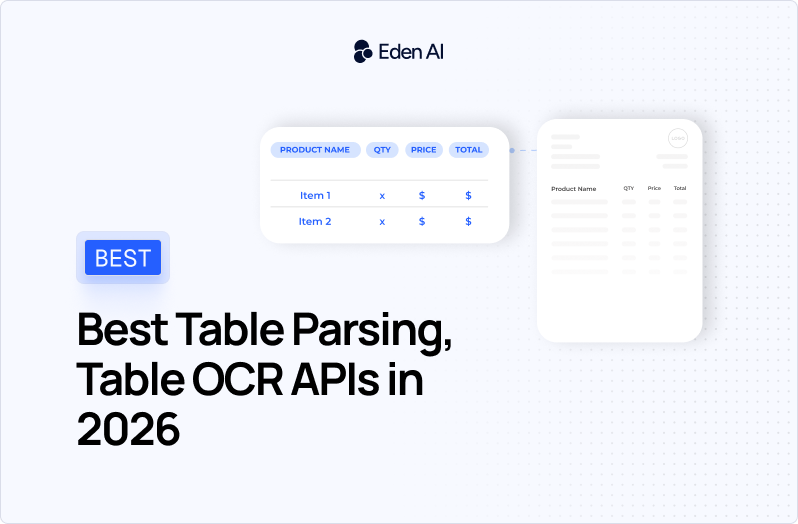
Table OCR (Optical Character Recognition) is a specialized technology used to extract structured data from tables found in files such as PDFs, scanned documents, and images.
Table OCR is designed to understand the layout of tabular data: rows, columns, and relationships between cells, and convert it into structured formats like JSON, CSV, or Excel.
In practical terms, table OCR allows businesses and developers to automatically extract tables from files without manual data entry. Whether you're processing invoices, financial reports, or spreadsheets embedded in PDFs, table OCR enables accurate table extraction from files at scale. This makes it a key component in modern document processing workflows, especially when dealing with large volumes of unstructured or semi-structured data.
How Table OCR Works
A typical table OCR system combines several layers of analysis. First, it detects the presence of tables in files. Then, it identifies the structure of those tables, such as column boundaries and row alignment. Finally, it extracts and organizes the data into a structured output. Advanced table OCR tools also handle complex cases like merged cells, missing borders, and multi-page tables in files.

Best Table OCR APIs Compared (2026 Updated)
The best Table OCR APIs in 2026 are Google Document AI, Azure Document Intelligence, Amazon Textract, Nanonets and Mindee. In the comparison below, you’ll find the best table parsing APIs in 2026, including their supported input files, output formats, and key strengths so you can quickly identify the right solution for your workflow.
Google Document AI - Broadest capability across many file types
Google Document AI is one of the most advanced table OCR APIs for extracting structured data from files. It combines strong layout understanding with broad file support, making it a solid choice for table extraction from files like PDFs, images, and office documents.
Choose this table OCR API if:
- you need accurate table extraction from files with complex layouts
- your documents include PDFs, images, and office formats (DOCX, XLSX, etc.)
- you want a powerful table parsing API with layout-aware extraction
Avoid if:
- your use case is simple and does not require advanced table OCR
- you are highly cost-sensitive
- you want a lightweight table parsing API
Azure AI Document Intelligence - Best for Azure-native enterprise workflow
Azure AI Document Intelligence is a reliable table OCR API designed for extracting structured tables from files with strong consistency. It is especially useful for teams working with Microsoft tools and needing detailed table parsing API outputs.
Choose this table OCR API if:
- you need precise table extraction from files
- you want structured outputs (including Markdown) for data workflows
- your infrastructure is already based on Azure
Avoid if:
- you want simple, clean output without extra processing
- you need a lightweight table OCR API
- you want to minimize complexity in your table parsing API integration
Amazon Textract - Best table OCR API for AWS-based workflows
Amazon Textract is a mature table OCR API designed for extracting tables from files like PDFs and images. It is a strong choice for teams already using AWS and needing reliable table extraction from files with traceability.
Choose this table OCR API if:
- your files are mostly PDFs and images
- your tables are standard and structured
- your workflow is already built on AWS (S3, Lambda, etc.)
Avoid if:
- you need strong performance on complex or messy tables
- you want support for office documents (DOCX, XLSX, etc.)
- you prefer simple outputs instead of detailed block/geometry data
Nanonets - Best table OCR API for flexible output
Nanonets is a flexible table OCR API focused on document automation and table extraction from files with multiple output formats. It works well for messy, semi-structured business documents.
Choose this table OCR API if:
- you want flexible outputs (CSV, JSON, Markdown, Excel)
- your documents are messy or semi-structured
- you want to quickly build a working table parsing API workflow
Avoid if:
- you need very transparent, simple pricing
- your architecture requires a hyperscaler-native solution
Mindee - Best table OCR API for fast implementation
Mindee is a developer-friendly table OCR API designed for fast setup and clean table extraction from files. It focuses on structured outputs and confidence scores for easier data handling.
Choose this table OCR API if:
- you want quick API integration
- you need structured outputs with confidence scores
- you prefer simple and transparent pricing
Avoid if:
- you need advanced enterprise-level document processing
- you require broad support across many document types like office file
How to Choose the Right Table OCR API
Choosing the right table OCR API depends on your documents and your needs. Some APIs work best for clean tables, while others handle complex or messy files better. Focus on what matters: your file types, output format, and how usable the extracted data is. The best table parsing API is the one that fits your workflow and minimizes manual fixes.
Start from your files, not the table OCR API
Choosing the right table OCR API starts with understanding your files. The performance of any table parsing API depends heavily on the type of documents you process, not on demo results.
- Are your tables clean (invoices, reports) or messy (scans, screenshots)?
- Do your files include merged cells, multi-line rows, or complex layouts?
- Are you doing table extraction from files like scanned PDFs or native documents?
Define the output before choosing a table parsing API
A table OCR API is only useful if the output matches your needs. Many teams focus on extraction but forget about usability of the data.
- Do you need raw layout data (bounding boxes) or clean tables (rows/columns)?
- Do you expect JSON only, or also CSV / Markdown from your table parsing API?
- Will your table extraction from files feed into a database, pipeline, or LLM?
Measure real table OCR accuracy (not vendor claims)
Accuracy in table OCR is not just about text recognition. What matters is whether the extracted tables are usable without manual fixes.
- Are columns correctly aligned after table extraction from files?
- Are headers and structure preserved by the table parsing API?
- Are merged cells handled correctly?
- What percentage of outputs require manual correction?
Decision rule: Test your table OCR API on 50–200 real documents and measure usable output rate, not theoretical accuracy.
Evaluate the real cost of a table OCR API
The true cost of a table OCR API goes beyond price per page. You need to evaluate the full cost of your table extraction workflow.
- Cost per processed page
- Percentage of outputs needing manual correction
- Engineering time for post-processing
- Retry and fallback costs across multiple APIs
Decision rule: The cheapest table parsing API is not always the best. Optimize for cost per usable table, not cost per page.
Pro Tip: Combine Multiple Table OCR APIs
The most effective teams don’t rely on a single table OCR API. Instead, they use multiple providers to improve table extraction from files across different document types and edge cases.
- Test 2-3 table OCR APIs in parallel
- Route documents dynamically based on performance
- Build fallback systems for complex or failed extractions
This approach helps optimize:
- accuracy of table parsing API results
- cost per usable table
- reliability in production workflows
This is the most reliable strategy for scaling table OCR in production in 2026. Using a unified API like Eden AI makes it easier to combine multiple table parsing APIs without increasing integration complexity.

.jpg)