Summarize this article with:
- The weakness is billing complexity.
- A real-time object detector, an OCR API, and a Vision Language Model can all process images.
- python This approach is useful when your team is still choosing between a cloud computer vision API, an image recognition API, or a more advanced multimodal workflow.
- Key criteria include task-specific accuracy, pricing per request, supported languages, API latency, and ease of integration.
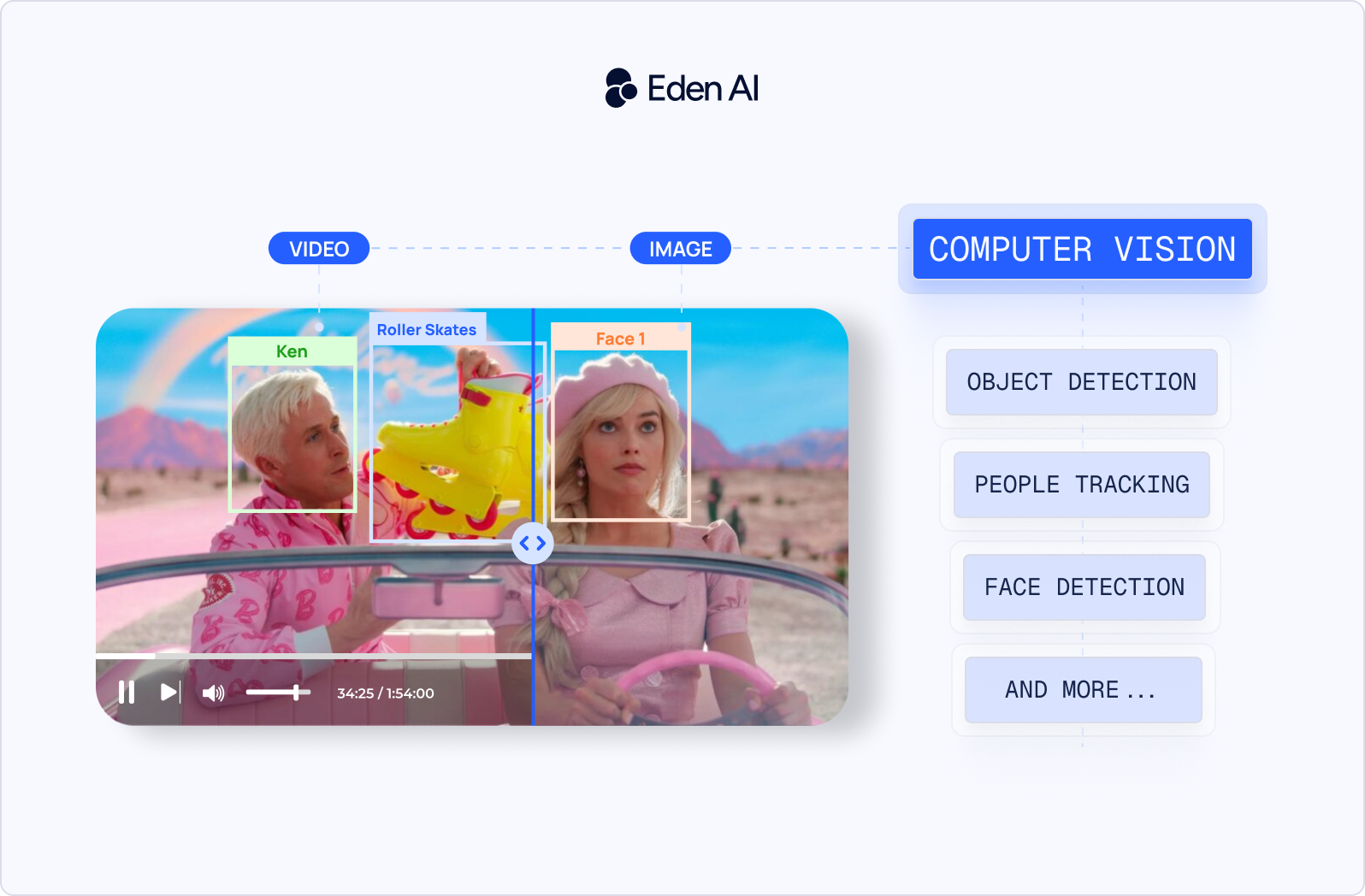
- Eden AI provides a unified REST API connecting to all major Computer Vision APIs, Open-Source Models & Tools (Free & Paid) providers, allowing integration with a single API key and a standardized...
Between 2023 and 2026, computer vision moved beyond task-specific APIs. Vision Language Models became usable in production, YOLO v12 improved real-time detection, SAM 2 made segmentation stronger for images and video, and multimodal APIs started replacing classic image recognition API workflows for many use cases.
This guide is for developers and ML engineers choosing the right computer vision tools for an application. It compares three tiers: open-source computer vision models for control and customization, cloud computer vision APIs for fast integration and managed infrastructure, and Vision Language Models for image understanding, visual reasoning, and flexible prompts.
Use the comparison table below to quickly evaluate the main options before the detailed breakdown.
Best Free & Open-Source Computer Vision Models in 2026
Open-source computer vision models are a good choice when you need control over deployment, latency, data privacy, or fine-tuning. They are especially useful for edge devices, private datasets, custom object classes, and high-volume workloads where API costs can grow fast.
The tradeoff is operational complexity. You need to manage GPUs, inference speed, monitoring, model updates, and fallback logic yourself. For many teams, open-source is not “free.” It is a way to exchange provider fees for infrastructure and engineering control.
Object Detection & Real-Time Vision
YOLO v12 is a real-time object detection model built for fast detection in images and video streams.
The main change from YOLO v10 is the shift toward an attention-centric architecture. YOLO v10 focused on end-to-end detection and NMS-free training. YOLO v12 keeps the low-latency YOLO design, but adds attention mechanisms that improve accuracy without making inference too slow.
On the official benchmark, YOLOv12-N reaches 40.6% COCO mAP at 1.64 ms on a T4 GPU. It beats YOLOv10-N by 2.1 mAP and YOLOv11-N by 1.2 mAP at similar speed. YOLOv12-S also outperforms RT-DETR-R18 and RT-DETRv2-R18 while running faster, with fewer parameters and less compute. The official GitHub repository has around 2.9k stars and uses an AGPL-3.0 license.
Best for: real-time object detection, video analytics, robotics, retail monitoring, manufacturing inspection, and edge inference.
License: AGPL-3.0.
Limitation: the AGPL license can be restrictive for closed-source commercial products. Review the license before using it in production.
Detectron2
Detectron2 is Meta’s PyTorch-based framework for object detection, instance segmentation, keypoint detection, and panoptic segmentation.
It is still relevant in 2026, but it is no longer the default choice for simple object detection. If you need a production-ready detector with low latency, YOLO is usually easier to train, export, and deploy.
Detectron2 is a better fit when you need flexibility. Use it when you want to experiment with Mask R-CNN, custom segmentation models, keypoints, panoptic segmentation, or research-style pipelines. It gives you more control over model internals than most YOLO workflows.
Best for: custom detection and segmentation pipelines where architecture flexibility matters more than deployment speed.
License: Apache 2.0.
Limitation: setup and production deployment are more complex than YOLO. CUDA compatibility, model export, and packaging often require extra work.
OpenCV
OpenCV is the baseline computer vision library for image processing, camera pipelines, video handling, and classical vision.
It is not a foundation model, but it remains one of the most useful computer vision tools in production. Most real applications still need preprocessing and postprocessing: resizing, cropping, filtering, thresholding, perspective transforms, camera calibration, tracking, and frame extraction.
OpenCV 4.x continues to receive updates. Recent releases improved platform support, performance tooling, image format handling, and compatibility with modern hardware. This matters because OpenCV often sits underneath larger systems, even when the main model is YOLO, SAM, OCR, or a Vision Language Model.
Best for: preprocessing, postprocessing, camera integration, video pipelines, classical vision, and machine vision software.
License: Apache 2.0.
Limitation: OpenCV does not replace modern deep learning models. It is usually combined with detection, segmentation, OCR, or VLM models.
Image Segmentation
SAM 2
SAM 2 is Meta’s promptable segmentation model for images and videos.
The biggest change from SAM 1 is video segmentation. SAM 1 was mainly designed for images. SAM 2 adds memory across frames, so it can follow an object through a video after a user selects it with a click, box, or mask.
This makes SAM 2 useful for interactive annotation, object tracking, video editing, robotics datasets, and visual inspection workflows. It also performs well in zero-shot settings, which means it can segment many object types without task-specific training.
Best for: image and video segmentation, interactive annotation, object cutouts, dataset creation, and video object tracking.
License: Apache 2.0.
Limitation: SAM 2 segments objects, but it does not reliably name or classify them. It also needs GPU acceleration for practical video workflows. CPU inference is usually too slow for production.
Grounded SAM
Grounded SAM combines an open-vocabulary detector with SAM or SAM 2.
The idea is simple. A detector such as Grounding DINO finds objects from text prompts like “red helmet,” “forklift,” or “damaged box.” SAM then turns those detected boxes into accurate segmentation masks.
This is useful when you want text-driven segmentation instead of manual clicks. It can speed up dataset labeling and help build early prototypes for domain-specific computer vision software.
Best for: open-vocabulary segmentation, dataset bootstrapping, weakly supervised labeling, and text-prompted object masking.
License: depends on the components used.
Limitation: it is a pipeline, not a single model. Latency, setup, and debugging are more complex than using SAM alone.
Vision Language Models (Open-Source)
Open-source Vision Language Models are useful when classic computer vision APIs are too rigid. Instead of returning fixed labels or bounding boxes, they can answer questions about an image, describe a scene, extract text, understand charts, or reason over visual context.
They are not always the best choice for real-time detection. For high-speed object detection, YOLO is still a better fit. For flexible image understanding, VLMs are often easier to adapt.
Florence-2
Florence-2 is Microsoft’s compact vision foundation model for prompt-based image tasks. It can handle image captioning, object detection, visual grounding, OCR-like extraction, referring expression comprehension, and region-based understanding. It comes in 232M and 771M parameter versions, which makes it much lighter than most general-purpose VLMs.
Florence-2 is notable because it covers many tasks with a small model. The larger Florence-2 model reports strong results on COCO captioning, grounding benchmarks, and TextVQA after fine-tuning.
Best for: lightweight image understanding, captioning, grounding, and multi-task vision pipelines.
License: MIT.
Self-hosting requirements: can run on modest GPU setups compared with larger VLMs. CPU inference is possible for testing, but not ideal for production latency.
Limitation: it may need fine-tuning for specialized domains such as medical images, industrial defects, or niche document formats.
Qwen3-VL
Qwen3-VL is Alibaba’s open-weight multimodal model family for image, video, OCR, visual reasoning, and UI understanding.
It is designed for more complex multimodal tasks than classic computer vision models. It can work with images, text, video, documents, charts, and long multimodal context. The family includes dense models from 2B to 32B parameters and larger Mixture-of-Experts variants.
Qwen3-VL is especially relevant for OCR-heavy documents, visual reasoning, chart interpretation, and agent-style workflows. It is built for cases where the system needs to understand what is in the image and explain or act on it.
Best for: OCR-heavy documents, visual reasoning, chart understanding, GUI agents, and multimodal workflows.
License: Apache 2.0 for open-weight releases.
Self-hosting requirements: smaller variants can run on a single modern GPU. Larger variants require multi-GPU or hosted inference.
Limitation: the best results come from large models, which increases hosting cost and latency.
Gemma 3
Gemma 3 is Google’s open-weight model family with multimodal image understanding. The family includes models from 1B to 27B parameters. The larger variants support image input and can handle visual question answering, image reasoning, summarization, and image-plus-text workflows.
Gemma 3 is useful when you want a smaller open-weight model for local or controlled deployment. It is a practical option for internal tools, prototypes, and applications where you need image understanding but do not want to call a closed API.
Best for: local multimodal prototypes, internal tools, image question answering, and lightweight image-plus-text workflows.
License: Gemma license.
Self-hosting requirements: smaller models are easier to host locally. The 12B and 27B variants need stronger GPUs for acceptable latency.
Limitation: Gemma uses Google’s own model terms, not a standard OSI license like MIT or Apache 2.0. Review the terms before commercial use.
Molmo
Molmo is Ai2’s open vision-language model family focused on visual grounding and practical image understanding. It includes models around 1B, 7B, and 72B scale.
Molmo is designed to identify and reason about visual elements in images, including pointing and grounding tasks. This makes it useful when a model needs to connect language to specific regions in an image.
Molmo is a good option for teams that want open weights and strong visual grounding without depending on a closed VLM API.
Best for: visual grounding, image question answering, pointing tasks, and region-aware image understanding.
License: Apache 2.0 for Molmo-7B-D.
Self-hosting requirements: the 7B model can run on a single GPU with the right optimization. Larger variants need more serious infrastructure.
Limitation: deployment tooling is less turnkey than commercial VLM APIs, and some checkpoints are positioned as research or preview releases.
Specialized Tools
DeepFace
DeepFace is a Python framework for face recognition and facial attribute analysis. It wraps several face recognition backbones and makes it easier to build face verification, face similarity, and identity-matching workflows. It is useful for prototypes and internal tools where you need face comparison without building the full pipeline from scratch.
Best for: face verification, face similarity search, and face attribute analysis.
License: MIT.
Limitation: check the licenses and usage constraints of the underlying models. Face recognition also requires careful privacy and legal review.
EasyOCR
EasyOCR is an OCR library for extracting text from images. It supports more than 80 languages and is simple to integrate in Python. It is useful for receipts, screenshots, scanned forms, labels, and scene text when you want local OCR instead of a cloud image recognition API.
Best for: local OCR, receipts, screenshots, forms, and multilingual text extraction.
License: Apache 2.0.
Limitation: accuracy can drop on low-quality scans, handwriting, complex layouts, or highly domain-specific documents.
MediaPipe
MediaPipe is Google’s framework for real-time and edge ML pipelines. It is widely used for face, hand, pose, gesture, and live video tasks. It works well across mobile, web, and edge environments, which makes it useful when latency and device deployment matter.
Best for: real-time pose tracking, hand tracking, face landmarks, gesture recognition, and edge computer vision.
License: Apache 2.0.
Limitation: it is strongest for predefined real-time perception tasks. It is less flexible than a general VLM or custom-trained detection model.
Best Cloud Computer Vision APIs in 2026 (Free Tiers & Pricing)
Cloud computer vision APIs are the fastest way to add image recognition, OCR, moderation, object detection, and visual search to an application. You do not manage GPUs, model weights, scaling, or inference optimization. You call an API, get structured results, and pay based on usage.
The tradeoff is control. You depend on the provider’s model quality, pricing, latency, regional availability, and data processing terms. For many teams, a cloud computer vision API is the right default for prototypes, internal tools, and production apps that need reliable results without maintaining computer vision infrastructure.
General-Purpose Vision APIs
Google Cloud Vision API
Google Cloud Vision API analyzes images for labels, text, objects, faces, landmarks, logos, image properties, and SafeSearch signals. It is one of the most mature general-purpose computer vision APIs and fits well into Google Cloud workflows.
The free tier includes 1,000 units per month. Each feature applied to an image counts as a billable unit. For example, label detection and face detection on the same image count as two units. After the free tier, common features such as label detection, text detection, document text detection, face detection, landmark detection, logo detection, and image properties are priced at $1.50 per 1,000 units for the first 5 million units per month. Object localization is higher at $2.25 per 1,000 units, and web detection is $3.50 per 1,000 units.
Its strongest capability in 2026 is still broad image analysis with predictable APIs. OCR, label detection, logo detection, landmark detection, and SafeSearch are easy to combine in one pipeline.
The weakness is billing complexity. A single image can generate multiple billable units if you call several features. Costs can grow faster than expected when teams add OCR, object localization, and web detection together.
Best for: product image analysis, OCR, logo detection, content moderation, and applications already running on Google Cloud.
AWS Rekognition
AWS Rekognition provides image and video analysis for labels, objects, faces, celebrities, text, moderation, PPE detection, and face search. It is especially useful for teams already building on AWS services such as S3, Lambda, Kinesis, and Step Functions.
The current AWS free tier for Rekognition Image lasts 12 months from account creation. It includes 1,000 images per month for Group 1 APIs and 1,000 images per month for Group 2 APIs. Group 1 includes face search and face indexing APIs. Group 2 includes label detection, face detection, moderation, text detection, celebrity recognition, and PPE detection.
After the free tier, AWS prices image analysis by API group and volume. For many standard image APIs, public pricing commonly starts around $0.001 per image, or $1.00 per 1,000 images, for the first million images per month. Some workflows can be more expensive depending on API type, video usage, face storage, or custom labels.
Its strongest capability in 2026 is AWS-native deployment. Rekognition is easy to wire into storage events, media pipelines, moderation workflows, and enterprise AWS environments.
The weakness is product fragmentation. Image analysis, video analysis, custom labels, face collections, and moderation features have different pricing models and operational details.
Best for: AWS-based moderation, face analysis, media indexing, security workflows, and image analysis triggered from S3.
Azure Computer Vision
Azure Computer Vision, now part of Azure AI Vision in Foundry Tools, provides image analysis, OCR, object detection, tagging, smart crops, captions, dense captions, landmarks, celebrities, people detection, and embeddings. It is a natural fit for teams using Azure, Microsoft identity, and enterprise compliance tooling.
The free tier includes 5,000 transactions per month in selected regions, with a 20 transactions per minute limit. Azure also lists separate pricing groups for image analysis, custom vision, product recognition, embeddings, spatial analysis, and video retrieval.
After the free tier, common image analysis tasks are often priced around $1.00 per 1,000 transactions, depending on feature group, region, and volume. Azure’s pricing page can show regional placeholders until a region and currency are selected, so production teams should validate exact rates in the Azure calculator before launch.
Its strongest capability in 2026 is enterprise integration. Azure Vision works well when paired with Azure storage, Azure AI services, Microsoft Entra ID, and enterprise governance requirements.
The weakness is pricing and naming complexity. Azure has multiple vision-related products, including Vision, Custom Vision, Face, Document Intelligence, Content Safety, and video retrieval. Choosing the right one is not always obvious.
Best for: OCR, image tagging, captions, enterprise Azure apps, and Microsoft-native compliance workflows.
Clarifai
Clarifai is a computer vision platform that provides pre-trained models, custom model training, inference, labeling workflows, visual search, and model deployment. It is broader than a single image recognition API because it combines APIs with model management and low-code tools.
Clarifai’s public pricing page describes a pay-as-you-go option for serverless pre-trained models, dedicated deployments, APIs, and low-code interfaces. Third-party pricing listings and marketplace pages commonly describe a free community tier with 1,000 operations per month. Public historical pricing also shows rates around $4.00 per 1,000 operations, or $0.004 per call, for some API usage categories.
Its strongest capability in 2026 is model workflow coverage. Clarifai is useful when you need not only inference, but also datasets, labeling, custom models, model hosting, and visual search in one platform.
The weakness is pricing transparency. The current public page explains plan types, but exact costs can depend on model type, deployment type, compute, and usage pattern.
Best for: teams that need custom image classification, visual search, model hosting, and dataset workflows in one computer vision platform.
Specialized Vision APIs
Roboflow
Roboflow specializes in dataset management, annotation, model training, deployment, and hosted inference for computer vision projects. It is not just an API for image labels. It helps teams move from raw images to labeled datasets, trained models, evaluation, deployment, and monitoring.
The public plan is free and intended for open-source and exploration. It includes $60/month in free credits, two users, community support, labeling tools, model training, workflows, and cloud-hosted deployment. Paid plans currently start with Core at $79/month billed annually or $99 month-to-month, with higher credit allocations available.
Roboflow is strongest when the bottleneck is not calling a model, but building and improving a dataset. It is useful for visual inspection, defect detection, retail shelf analysis, agriculture, manufacturing, and domain-specific object detection.
Best for: custom object detection projects where annotation, dataset versioning, training, and deployment matter as much as inference.
Twelve Labs
Twelve Labs specializes in video understanding. Instead of treating video as separate frames, it indexes video with multimodal models that understand visual content, speech, text, actions, and context.
The free plan includes a shared 10-hour limit across indexing and video analysis, according to Twelve Labs’ 2026 release notes. The Developer plan is pay-as-you-go. Public pricing lists Marengo video indexing at $0.042 per minute, embedding infrastructure at $0.0015 per minute per month, Search API usage at $4 per 1,000 queries, and Pegasus video analysis input at $0.0292 per minute.
Twelve Labs is specialized because it is built for video search, video summaries, scene understanding, lecture analysis, media archives, and long-form content intelligence. It is usually a better fit than a generic computer vision API when the core asset is video.
Best for: video search, video indexing, content libraries, lecture analysis, sports footage, media archives, and multimodal video understanding.
Imagga
Imagga specializes in image tagging, categorization, visual search, color extraction, cropping, content moderation, and image organization. It is a practical option for teams that need lightweight image recognition and moderation APIs without building custom models.
The free plan includes 100 API requests for testing. It supports basic solutions such as Structured Tagging V3 Light, Tagging V2, categorization, cropping, and color extraction. The Indie plan starts at $79/month and includes 70,000 API requests, plus access to features such as visual search, background removal, barcode recognition, OCR, and email support.
Imagga is strongest for media libraries, marketplaces, user-generated content platforms, and digital asset management. It is less suitable when you need custom deep learning workflows, real-time video analysis, or advanced visual reasoning.
Best for: image tagging, categorization, moderation, visual search, and media asset organization.
Vision Language Models (VLMs): The Biggest Shift in Computer Vision Since 2023
Before Vision Language Models became practical, most computer vision software was built around narrow APIs. You used one API for image classification, another for OCR, another for object detection, another for moderation, and maybe a custom model for domain-specific labels. That worked well when the task was fixed: detect unsafe content, extract text, classify product images, identify logos, or find objects in a frame.
VLMs changed the workflow. Instead of calling a fixed endpoint like detect_labels or extract_text, you can send an image with a prompt: “Extract the invoice number, total amount, due date, and vendor name as JSON,” or “Does this product image show packaging damage?” The same model can read text, describe visual content, reason about layout, compare images, and return structured output. This is why VLMs became a real alternative to many task-specific computer vision API workflows between 2023 and 2026.
The tradeoff is cost and latency. VLMs are more flexible, but they usually process more tokens than traditional vision APIs. They are also slower for simple tasks. If you need to classify 5 million images per month into 20 fixed labels, a traditional image recognition API or a fine-tuned model will usually be cheaper and faster. If you need to understand invoices, screenshots, charts, product images, claims photos, or forms with changing layouts, a VLM is often easier to ship.
In 2026, the question is not “VLM or traditional API?” The right choice depends on the task, image volume, latency target, and how much reasoning the application needs. For fixed labels and high throughput, use traditional computer vision tools. For flexible image understanding and structured reasoning, use a VLM.
Traditional computer vision APIs are better when the task is stable and repeatable. For example, if you need OCR, label detection, moderation, or object detection across millions of images, a dedicated computer vision API is usually faster and cheaper. The output is also easier to monitor because the schema is fixed.
VLM APIs are better when the task changes often or needs context. They can extract structured data from messy documents, answer questions about product images, interpret screenshots, and explain visual evidence. They reduce the need to train a custom model for every new category, but they require better prompt design, stronger validation, and more careful cost monitoring.
The table below uses a simple estimate for 10,000 images/month. Assumption: one medium image per request, a short instruction, and a short structured answer. Real costs vary with image size, detail level, output length, model version, caching, and batch discounts.
For high-volume fixed tasks, the difference is clear. Google Cloud Vision and AWS Rekognition are much cheaper for simple label detection, OCR, moderation, or fixed image analysis at 10,000 images/month and beyond. Google prices common Cloud Vision features at $1.50 per 1,000 units after the first 1,000 free units, while AWS examples show standard image analysis around $0.001 per image for the first million images.
For flexible reasoning tasks, the higher VLM cost can still be justified. A VLM may replace OCR, classification rules, layout parsing, custom prompts, and manual review logic in one call. The right decision is not based only on price per image. It is based on total system cost, including engineering time, model maintenance, accuracy review, and how often the task changes.
Top VLM APIs for Computer Vision Tasks in 2026
GPT-4o Vision
GPT-4o Vision is best at general image understanding, visual question answering, document reasoning, and combining image analysis with structured text output. It is a strong fit when the input changes often and you need the model to reason, not just detect.
Pricing is token-based. Public pricing references commonly list GPT-4o at about $2.50 per 1M input tokens and $10 per 1M output tokens, while OpenAI’s image processing docs explain that images are billed as image tokens based on fidelity and tiling. With current image-token rules, low fidelity starts with a base image-token cost, while high fidelity can add thousands of input tokens depending on aspect ratio.
The context window is commonly listed as 128K tokens for GPT-4o. That is enough for multi-image workflows, long prompts, and structured extraction instructions, but not as large as newer long-context models.
Best use case: invoice parsing, visual QA on product images, support workflows where users upload screenshots, and document extraction with JSON output.
Limitation: cost can become high when processing many high-resolution images, especially if every request asks for long reasoning or verbose output.
Gemini 2.5 Pro
Gemini 2.5 Pro is best at long-context multimodal reasoning. It is useful when the image is part of a larger context: multiple pages, supporting text, tables, charts, or long instructions. It also has strong integration with Google’s broader AI ecosystem.
Google lists Gemini 2.5 Pro pricing at $1.25 per 1M input tokens and $10 per 1M output tokens for prompts up to 200K tokens, and $2.50 per 1M input tokens and $15 per 1M output tokens above 200K tokens. Gemini image inputs are tokenized like other modalities. Google’s token docs say images up to 384 x 384 count as 258 tokens, while larger images are split into 768 x 768 tiles, each counted as 258 tokens.
Gemini 2.5 Pro supports very large context windows compared with most classic VLM APIs. This makes it useful for workflows that combine images with long documents or large amounts of surrounding text. Google also distinguishes stable and preview models, and recommends stable model names for production use.
Best use case: document analysis with long context, chart reasoning, visual QA over many images, and applications already using Google AI infrastructure.
Limitation: output costs can dominate the bill if you ask for long explanations or run reasoning-heavy prompts at scale.
Claude Sonnet 4
Claude Sonnet 4 is best at careful visual reasoning, document review, and image-plus-text analysis where the answer needs to be precise and readable. It is useful for forms, screenshots, charts, diagrams, contracts with visual layouts, and workflows where the model must explain its answer.
Anthropic lists Claude Sonnet 4 at $3 per 1M input tokens and $15 per 1M output tokens. Claude’s vision docs estimate image token usage as roughly width * height / 750, with examples showing a 1000 x 1000 image at about 1,334 tokens, or around $0.004 per image on Sonnet pricing before output tokens.
For image input limits, Claude supports up to 100 images per request for models with a 200K context window and up to 600 images per request for other models, subject to request-size limits. The docs also note a maximum request size of 32 MB for standard endpoints, and resizing behavior for large images.
Best use case: insurance claim review, document QA, compliance screenshots, chart interpretation, and careful extraction from forms.
Limitation: Claude is not a precise object counter or spatial localization engine. Anthropic explicitly notes limitations around exact spatial reasoning, counting, low-quality images, and high-stakes interpretation.
Mistral Pixtral
Mistral Pixtral is best for teams that want a multimodal model with open-weight options and API availability. It is strong for natural images, documents, charts, diagrams, and visual question answering.
Pixtral 12B combines a 12B parameter multimodal decoder with a 400M parameter vision encoder, supports variable image sizes, and has a 128K token sequence length. The Hugging Face model card lists the license as Apache 2.0.
Pricing depends on how you consume it. If you self-host Pixtral 12B, the cost is your GPU infrastructure. If you use hosted inference, pricing depends on the provider and endpoint. Public Mistral model pages also describe Pixtral 12B as supporting natural images and documents at their native resolution and aspect ratio, with a long 128K context window.
Best use case: document understanding, chart interpretation, image QA, and teams that want an open-weight VLM they can evaluate or host themselves.
Limitation: hosted pricing and production support can be less straightforward than the largest closed VLM APIs. Self-hosting also requires GPU capacity and model-serving work.
How to Choose the Right Computer Vision Solution
Choosing the right computer vision tool is mostly about constraints. The best option depends on latency, data volume, domain specificity, infrastructure, and how flexible the task needs to be.
A real-time object detector, an OCR API, and a Vision Language Model can all process images. But they are not interchangeable. Start with the simplest system that meets the product requirement.
Based on your preference between latency and flexibility
Developers should use YOLO v12, SAM 2, or MediaPipe in a self-hosted setup if you need real-time inference on video or edge devices. You should choose this path when latency matters more than flexibility.
Examples include factory inspection, robotics, retail cameras, mobile pose tracking, sports analytics, and live safety monitoring. In these cases, a cloud API or VLM is usually too slow or too expensive per frame.
Based on your data
If your images are domain-specific, developers should choose to fine-tune Florence-2 or Qwen3-VL on your data. Examples include damaged parts, medical scans, satellite images, warehouse shelves, construction sites, or internal document formats. Labeled data makes it possible to beat generic APIs on your own use case.
Based on your monthly volume
Based on your use case
Still Not Sure Which API Performs Best on Your Data?
Benchmarks are useful, but they rarely match your production images. A provider can score well on public datasets and still fail on your specific inputs. Lighting, resolution, camera angle, compression, language, document layout, object size, and domain vocabulary all change results.
This is why testing on your own images matters. If you are comparing Google, AWS, Azure, and other computer vision platforms, the hard part is not calling one API. The hard part is building several separate integrations, normalizing the outputs, and comparing accuracy across providers.
Eden AI lets developers test multiple AI providers through one API instead of integrating each provider separately. Its platform provides a single API for vision, OCR, speech, translation, and other AI models, and lets teams manage providers with more control over cost, latency, and routing.
For computer vision, the practical workflow is simple: send the same image to several providers, compare the results side by side, then choose the provider that performs best on your data. You can test Google, AWS, Azure, and other providers without rewriting your application for each API.
This approach is useful when your team is still choosing between a cloud computer vision API, an image recognition API, or a more advanced multimodal workflow. It also helps avoid choosing a provider based only on generic benchmarks.

.jpg)