Summarize this article with:
The best free face detection API for most developers is Google Cloud Vision API because it offers managed face detection, clear documentation, and a free usage allowance without requiring you to host or maintain a model.
- Best free cloud API: Google Cloud Vision API, because it provides managed detection, facial landmarks, and confidence data through a mature cloud API.
- Best open-source model overall: InsightFace SCRFD, because it offers strong detection across varied face sizes and is practical for self-hosted production systems.
- Best for real-time and mobile: MediaPipe BlazeFace, because it is designed for low-latency face detection on phones, browsers, and edge devices.
“Free” means different things here: cloud APIs usually provide a limited free tier before charging per request, while open-source models are free to download but still require compute, deployment, monitoring, and maintenance. This article compares both options so you can choose based on cost, latency, privacy, and engineering effort.
Free Face Detection Tools Compared at a Glance
The open-source table uses official WIDER FACE validation results where available.
What is a Face Detection API?
A Face Detection API analyzes an image or video frame, finds human faces, and returns where each face appears. The core output is usually a bounding box defined by coordinates such as x, y, width, and height. Some APIs also return a confidence score showing how certain the model is that the detected region contains a face.
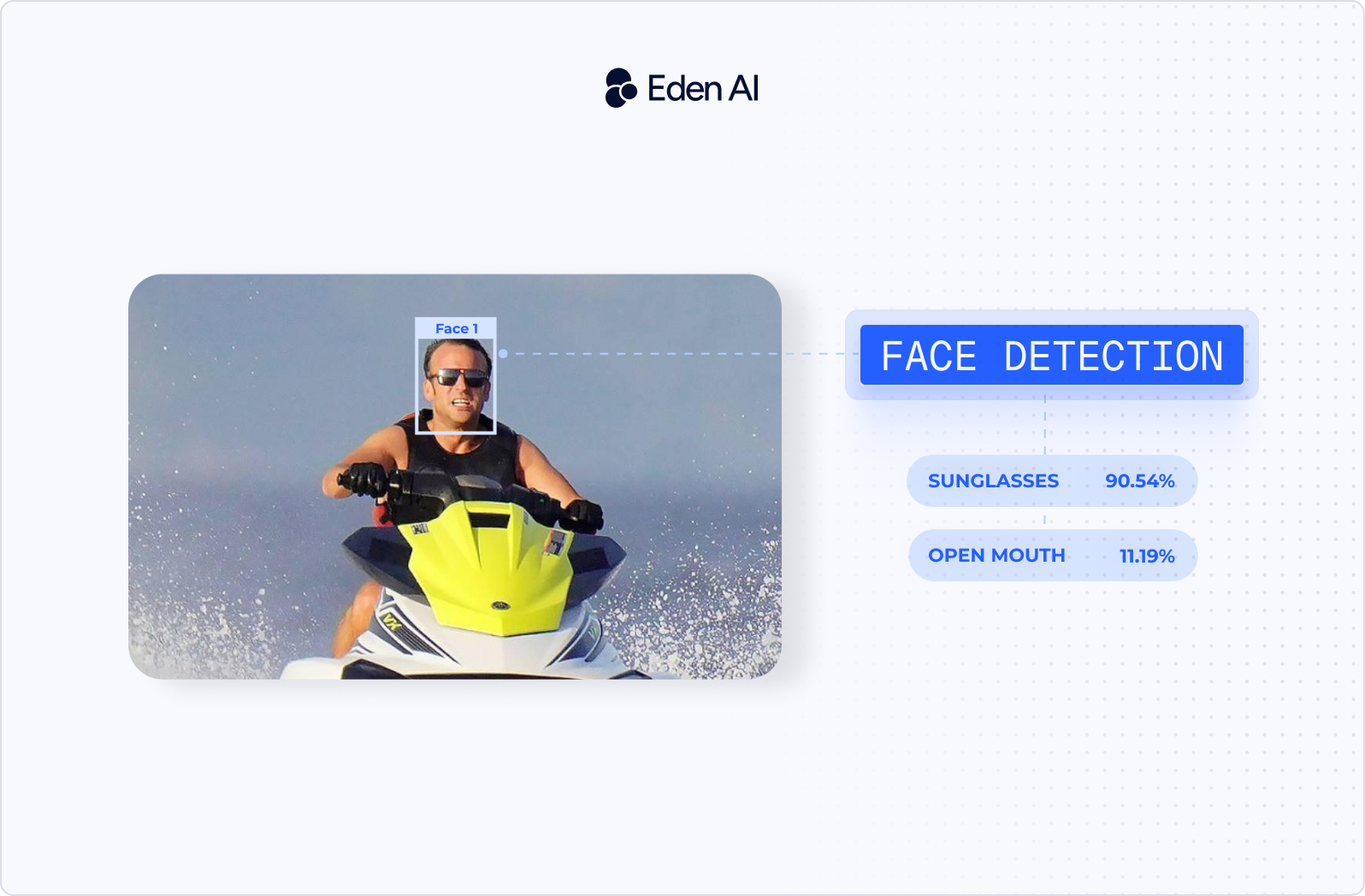
Many services include facial landmarks. These are points placed around features such as the eyes, nose, mouth, eyebrows, and jawline. A response may look like this:
{
  "faces": [
    {
      "bounding_box": {
        "x": 142,
        "y": 88,
        "width": 210,
        "height": 210
      },
      "confidence": 0.98,
      "landmarks": {
        "left_eye": [201, 154],
        "right_eye": [287, 151],
        "nose": [245, 198]
      }
    }
  ]
}
Face detection is usually the first step in a larger computer vision pipeline. Once you know where a face is, you can crop it, align it, blur it, track it across video frames, estimate head pose, or pass it to a separate recognition or verification model.
A detection API does not usually tell you who the person is. It only tells you that a face is present and where it is located.
Face Detection vs Face Recognition vs Face Verification
These tasks are related, but they answer different questions. Recognition is a one-to-many search. The system compares one face against many enrolled identities and returns the closest match or matches.
Verification is a one-to-one comparison. The system compares two face images and returns a similarity score or match decision. Detection comes before both. A recognition or verification system usually needs to locate and align the face before it can compare facial features.
If you need to identify or match people rather than just locate faces, see our guide to the best free face recognition APIs.
What Face Detection Can and Can't Do
Face detection can:
- Return face bounding boxes
- Detect facial landmarks
- Count faces in an image
- Estimate head pose
- Return provider-dependent estimates for age range, gender, or emotion
Those attribute outputs are estimates, not facts. Their quality varies by provider, image quality, lighting, pose, and demographic group.
Face detection cannot:
- Confirm a person's identity
- Prove that a real person is present
- Detect deepfakes without a separate model
- Guarantee equal accuracy across all demographics
- Replace face recognition, verification, or liveness detection
How We Evaluated These Face Detection Tools
Tested in August 2026, this comparison covers managed face detection APIs and open-source models using the same five weighted criteria.
- Detection accuracy (30%): We compared published and reproduced performance on the WIDER FACE hard split, with priority given to crowded scenes, small faces, blur, and difficult angles.
- Speed and latency (25%): We measured or verified inference time across CPU, GPU, and mobile hardware, including model loading and per-image processing where data was available.
- Cost and free tier (20%): We checked what each cloud API includes before payment, whether a credit card is required, and what usage costs after the free allowance ends.
- Ease of integration (15%): We judged installation steps, time to a first successful request, SDK coverage, response format, documentation quality, and deployment complexity.
- Licensing and compliance (10%): We reviewed commercial use rights, model licenses, data retention terms, available processing regions, and data residency.
Best Free Face Detection APIs (Cloud)
Cloud face detection APIs remove the need to host models, manage scaling, or maintain inference infrastructure. The trade-off is recurring usage cost, provider-specific data handling, and less control over the underlying model.
Google Cloud Vision API - Best Accuracy Out of the Box
Google Cloud Vision is a managed image analysis API suited to teams that want reliable face detection with minimal setup. It returns face bounding boxes, facial landmarks, detection confidence, head pose angles, and likelihood-based attributes such as joy, sorrow, anger, and surprise. It also returns underexposure, blur, and headwear likelihood. You can process individual images or submit batches through Google Cloud storage workflows.
Free tier: the first 1,000 units per month are free, calculated separately for each feature. Face detection then costs $1.50 per 1,000 units up to 5 million units per month, dropping to $0.60 per 1,000 above that.
The main limitation is that it does not perform face recognition. Google states plainly that "specific individual Facial Recognition is not supported." It can locate and describe faces, but it cannot identify a person or compare identities.
AWS Rekognition - Best for Scale on AWS
For applications already running on AWS, Rekognition fits naturally into S3, Lambda, and other AWS services. Its image API can return bounding boxes, landmarks, pose, quality measures, age ranges, emotions, and face occlusion estimates. Rekognition also supports face detection and tracking in stored or streamed video, which separates it from image-only services.
Free tier: 1,000 images per month for 12 months from account creation, covering DetectFaces and the other Group 1 and Group 2 APIs. You can also store 1,000 face vector objects and 1,000 user vector objects per month at no cost. Image Properties is excluded from the free tier. New AWS accounts created since July 15, 2025 additionally receive up to $200 in credits usable across eligible services, including Rekognition, over six months.
Note that 1,000 images per month is lower than the 5,000 figure still circulating in older comparisons.
The strongest reason to choose it is also its main constraint: it makes the most operational sense inside AWS. Teams using another cloud may add unnecessary platform dependency.
Microsoft Azure AI Face - Best for Enterprise Compliance
Azure AI Face targets organizations already using Microsoft cloud identity, security, and governance controls. Plain face detection can return bounding boxes, landmarks, head pose, blur, exposure, occlusion, and other attributes, depending on the API version and enabled features. It also supports batch-oriented workflows through the wider Azure platform.
Free tier: the F0 tier includes 30,000 transactions per month, rate-limited to 20 transactions per minute on a single resource.
Face identification and verification sit behind Microsoft's Limited Access approval process, while the Face Detection operation is available without registration. The constraint is sharper than it first appears: Limited Access features are only available on the Standard (S0) and Enterprise (E0) tiers and are not supported on the free F0 tier at all. You cannot prototype identity features for free, even after approval. Azure face recognition has also been prohibited for use by or for U.S. police departments since June 2020.
This can block projects that later expand from detection into restricted identity features.
Clarifai - Best for Custom Vision Workflows
Clarifai combines face detection with a broader platform for building and chaining computer vision workflows. You can run face models alongside classification, moderation, object detection, and custom-trained models through one API. Its workflow system is useful when face detection is only one stage in a larger image-processing pipeline.
Free tier: Clarifai's own docs describe pay-as-you-go billing with a one-time $5 welcome bonus that expires after 30 days, up to 100 requests per second, and a $100 default monthly spend cap.
The limitation is complexity. A team that only needs bounding boxes may find the platform broader than necessary, and operation-based billing can be harder to estimate when workflows contain several model calls.
API4AI - Best for Fast, No-Frills Integration
API4AI offers a focused face detection endpoint for developers who want a small API surface and a quick first request. It is available two ways: through API4AI's own developer portal on prepaid pay-as-you-go pricing, and through RapidAPI on a subscription model that includes a free plan. API4AI also publishes a Telegram demo bot and code examples on GitLab, which help when testing response formats before committing to an account.
Its main weakness is the smaller product and documentation ecosystem compared with Google, AWS, and Azure. Confirm SDK support, regional processing, and production limits before committing.
Face++ - Best Free Tier for Prototyping
Face++ offers a broad set of facial analysis endpoints for early-stage testing. Its Detect API returns landmarks and attributes for the five largest faces in an image, with further analysis available by passing a face_token to the Face Analyze API. Supported attributes include age, gender, smile intensity, head pose, eye status, emotion, beauty, eye gaze, mouth status, skin status, face image quality, and blurriness. A separate Landmarks API provides keypoint detection up to 1,000 points. Related recognition and comparison features are available through their own endpoints.
Free tier: unusually generous on volume. Face++ states there is "no limitation on total usage" for free accounts, which instead "shard QPS capacity with other users." The Facial Recognition API set is limited to 3 QPS in total, with the Dense Facial Landmarks API separately capped at 1 QPS. Each account gets one free API key.
Unlimited request volume constrained only by throughput is what makes this the best option for prototyping. The tradeoff is that shared QPS capacity makes performance unpredictable, so latency you measure during a quiet period will not hold under load. Data residency and regional processing options also need careful review before using it with sensitive images.
Best Open-Source Face Detection Models
InsightFace SCRFD
SCRFD is the strongest general recommendation when you need accurate face detection across varied face sizes, including smaller faces in crowded images. The SCRFD family gives you several compute levels, so you can choose between speed and detection quality without changing the overall architecture.
SCRFD-10GF is the best default for most self-hosted deployments. It scores 95.16 on WIDER FACE Easy, 93.87 on Medium, and 83.05 on Hard, with a reported inference time of 4.9 ms. That figure is GPU-based: the paper specifies latency "with VGA resolution (640×480) images on NVIDIA 2080TI." Do not confuse it with InsightFace's separate CPU benchmark, which reports 11.4 ms for the much smaller SCRFD-0.5GF at 320×240 on an AMD Ryzen 9 3950X.
For reference, the full family at VGA on a 2080Ti runs from SCRFD-500M (90.57 / 88.12 / 68.51 at 3.6 ms) through SCRFD-34GF (96.06 / 94.92 / 85.29 at 11.7 ms).
The licensing restriction matters before you start building. The code is MIT, but the official pretrained weights are limited to non-commercial research:
"The training data containing the annotation (and the models trained with these data) are available for non-commercial research purposes only."
InsightFace closes the obvious loophole explicitly: "Both manual-downloading models from our github repo and auto-downloading models with our python-library follow the above license policy." Commercial use requires a separate license from InsightFace. This makes SCRFD a strong technical choice for research and evaluation, but not a ready-to-ship option for a proprietary product unless you resolve the weights license.
Choose SCRFD-10GF over RetinaFace when you want a better balance between hard-set accuracy and inference cost.
RetinaFace
RetinaFace remains a strong option when detection accuracy and facial landmarks matter more than deployment cost. It detects faces while also returning five facial landmarks, which helps with alignment before recognition or verification.
The often-cited 91.8 WIDER FACE Hard score comes from the paper's best configuration: a ResNet-152 backbone with both flip and multi-scale testing, evaluating at short edges of 500, 800, 1100, 1400, and 1700 pixels. The same run reports 96.9 on Easy and 96.1 on Medium. You will not reproduce these numbers with single-scale inference.
Licensing depends on the implementation. The serengil/retinaface pip package uses the MIT license. The original InsightFace implementation carries the same non-commercial restriction on pretrained weights as SCRFD.
Pick RetinaFace when you need landmark-rich detection and can accept a heavier model. Pick SCRFD-10GF when latency and deployment efficiency matter more.
YOLO-Face (v8/v11)
YOLO-Face is a practical choice when your existing computer vision stack already uses Ultralytics YOLO. You can keep the same training, export, inference, and deployment workflow rather than adding a separate face detection framework.
Accuracy and speed depend on the specific face dataset, model size, and repository used. WIDER FACE results should therefore be tied to the exact checkpoint and implementation. Note also that "YOLO-Face" is not an official Ultralytics product, so third-party face repositories and checkpoints carry their own licenses and need checking individually.
Ultralytics distributes its own code under AGPL-3.0 and sells an Enterprise License that, in its words, allows integration into business products "bypassing the open-source requirements of AGPL-3.0." If your product incorporates Ultralytics code, AGPL obligations attach to your product's source, including when you deliver it as a network service. That is a real constraint for closed-source products, not an administrative detail, and it is worth a lawyer's read rather than a blog post's.
Choose YOLO-Face when operational consistency with an existing YOLO pipeline is worth more than using a face-specific architecture.
OpenCV YuNet and Haar Cascade
YuNet is the better OpenCV option for new projects. It uses the MIT license and allows commercial use.
Quote its scores carefully, because they are version-specific and the model card is internally inconsistent. The OpenCV Zoo benchmark table reports 88.44 on WIDER FACE Easy, 86.56 on Medium, and 75.03 on Hard, with quantized variants within a few hundredths. The same model card's summary line cites lower figures of 83.4, 82.4, and 70.8. Three versions are now published — 2026may with dynamic input shape for OpenCV 5.x, 2023mar with fixed input for OpenCV 4.x, and an int8 block-quantized variant — so always name the version alongside the number.
YuNet fits CPU-based applications where you need a small dependency footprint and do not want to deploy a separate deep learning framework. It is trained to detect faces roughly between 10x10 and 300x300 pixels, which explains why it trails SCRFD-10GF on the WIDER FACE Hard split, but it is far easier to place inside an existing OpenCV application.
Haar Cascade is not benchmarked on WIDER FACE. Viola-Jones dates to 2001 and WIDER FACE to 2016, so no official score exists. It performs best on frontal, well-lit faces with limited variation.
OpenCV uses Apache 2.0 from version 4.5.0 onward, a change made at 4.5.0-pre in August 2020 that covers all later 4.x and 5.x releases. Versions 4.4.0 and older, along with OpenCV 2.x and 3.x, use BSD-3-Clause.
Choose YuNet for a new lightweight OpenCV deployment. Use Haar Cascade only for legacy systems or basic controlled-camera tasks.
MediaPipe BlazeFace
MediaPipe BlazeFace is built for close-range, single-face detection on mobile devices, browsers, and real-time video. It is a good match for selfie cameras, video calls, filters, and face-driven user interfaces.
BlazeFace has no official WIDER FACE score. Google evaluated it on "a private geographically diverse dataset consisting of 2K images," reporting 98.61% average precision for the frontal camera model at a 0.5 IoU threshold.
That evaluation only counted faces occupying more than 20% of the image area for the frontal camera model, or more than 5% for the rear-facing model - a deliberately different problem from the tiny, partially hidden faces in the WIDER FACE Hard split. Treat the 98.61% figure as evidence for its intended use case, not as a general accuracy claim.
That specialization is both its strength and its limit. BlazeFace can work well when one person is positioned near the camera, but it is a poor choice for crowd images, distant faces, or surveillance footage.
The model is available under Apache 2.0, with commercial use allowed. Choose BlazeFace over YuNet when mobile and browser integration matters most. Choose SCRFD or RetinaFace for multi-face scenes.
dlib HOG Face Detector
The dlib HOG detector is a CPU-focused option for frontal faces in controlled images. It does not require GPU inference and remains easy to use inside Python or C++ applications already built around dlib.
It has no official WIDER FACE result because it predates the benchmark. Do not treat third-party comparisons as directly comparable unless they use the same image scale, thresholds, and evaluation protocol. dlib uses the Boost Software License 1.0; as the project puts it, "you can use dlib however you like, even in closed source commercial software."
Choose dlib HOG for older CPU-only systems with frontal subjects. For a new CPU deployment, YuNet is usually the better choice because it handles more modern detection conditions.
MTCNN
MTCNN combines face detection with landmark prediction through a three-stage network. It remains useful when you want detection and basic alignment in one familiar package, especially for prototypes and older face recognition pipelines.
Licensing depends on the implementation. The widely used ipazc/mtcnn package is MIT, but that license does not automatically apply to every MTCNN repository or set of weights.
Choose MTCNN when compatibility with an existing alignment pipeline matters. For a new production detector, SCRFD, YuNet, or BlazeFace usually gives you a clearer deployment target.
Cloud API or Self-Hosted Model? How to Choose
The right choice depends less on benchmark rankings than on your operating constraints. Start with traffic, privacy, latency, and the engineering work your team can support.
Choose a Cloud API If...
- Your request volume is low, seasonal, or difficult to predict.
- Your team lacks ML infrastructure or production DevOps capacity.
- You need landmarks, pose, emotion, age, or other attributes.
- You require vendor support, uptime commitments, and an SLA.
- You need to ship a working feature within days.
Choose an Open-Source Model If...
- High, steady traffic makes per-image pricing expensive.
- Security rules prevent images from leaving your infrastructure.
- Your product needs offline, edge, browser, or on-device inference.
- You plan to retrain or fine-tune using domain-specific images.
- Your latency budget cannot tolerate an external network request.
Decision Checklist
- Will monthly usage remain small or fluctuate sharply?
- Can your team operate and monitor an inference service?
- Must every image stay inside your own environment?
- Do you need provider-generated facial attributes?
- Does the product need to work without internet access?
- Is sub-network-round-trip latency a hard requirement?
More “yes” answers to the first and fourth questions point toward a cloud API. More “yes” answers to the remaining questions point toward self-hosting, provided your team can own deployment and maintenance.
Privacy and Compliance for Face Detection
Face detection can involve personal data even when it does not identify anyone. Your obligations depend on the images, the processing purpose, the outputs you retain, and how those outputs are used.
Is Face Detection Biometric Data Under GDPR?
Detecting that a face exists is generally treated differently from creating or comparing biometric identifiers to identify a person. GDPR Article 9 covers biometric data processed for the purpose of uniquely identifying a natural person as special-category data.
A detector that returns bounding boxes for blurring or camera framing may therefore present a different legal case from a system that converts faces into templates and searches for identities. The purpose of processing matters, not just the use of facial-analysis technology.
You should still assess whether the source image is personal data, how long it is retained, who receives it, and whether attribute estimates create additional risks.
What the EU AI Act Means in 2026
The EU AI Act does not treat every facial-analysis system in the same way. Remote biometric identification and certain biometric categorization or emotion-recognition uses face heavier restrictions than plain detection that only locates a face. Some prohibited-practice rules have applied since February 2025, while other requirements follow a phased timetable.
Transparency duties may also apply when a system performs emotion recognition or biometric categorization. The exact obligations depend on the use case, deployer role, sector, and implementation date.
On-Device and EU-Hosted Processing Options
One way to reduce data exposure is to run an open-source detector directly on the phone, browser, edge device, or private server. Images can remain inside the client environment, and you can avoid sending raw frames to an external API.
When managed infrastructure is preferable, use a provider that offers suitable processing regions, retention terms, and contractual controls. Eden AI's EU endpoint provides a route designed for European processing, while the security page documents Eden AI’s security and data-protection controls.
This is general information, not legal advice.
Quick Start: Detect Faces in Under 10 Lines of Code
Open-Source Example (MediaPipe, Python)
Install the current MediaPipe Tasks package with pip install mediapipe, then download the Face Detector task model and save it as face_detector.task. The Tasks API loads the image, runs detection in image mode, and returns bounding boxes in pixel coordinates.
import mediapipe as mp

image = mp.Image.create_from_file("image.jpg")
with mp.tasks.vision.FaceDetector.create_from_model_path(
    "face_detector.task"
) as detector:
    result = detector.detect(image)

print(f"Faces found: {len(result.detections)}")
for face in result.detections:
    box = face.bounding_box
    print({"x": box.origin_x, "y": box.origin_y,
           "width": box.width, "height": box.height})
Unified API Example (Eden AI, Python)
Eden AI gives you access to Amazon, Google, and API4AI through the same endpoint and authentication flow. You can compare providers by changing the model identifier without rebuilding the rest of your integration.
import requests

url = "https://api.edenai.run/v3/universal-ai/"
headers = {"Authorization": "Bearer <your-api-key>"}
models = [
    "image/face_detection/amazon",
    "image/face_detection/google",
    "image/face_detection/api4ai",
]

for model in models:
    with open("image.jpg", "rb") as image:
        response = requests.post(
            url,
            headers=headers,
            data={"model": model, "show_original_response": "false"},
            files={"file": image},
            timeout=60,
        )
    response.raise_for_status()
    data = response.json()
    print(model, data["output"], "Cost:", data.get("cost"))
Each provider uses a different native response structure, but Eden AI converts the result into a common output format.

.jpg)