Summarize this article with:
Free AI APIs now give developers enough capacity to prototype, benchmark models, and run low-volume applications without paying for inference. Free tiers changed fast in 2025 and 2026, with frontier models such as Gemini 2.5 Flash, Llama 4, and Qwen3 235B available at $0 through selected platforms. With the right setup, developers can stack several free allowances to reach more than 5,000 API requests per day without managing their own infrastructure.
This article compares Google AI Studio, Groq, Cerebras, Mistral AI, DeepSeek, Cloudflare Workers AI, and Hugging Face. It also separates two options that are often confused: hosted free APIs, where a provider runs the model, and self-hostable open-source models, where the weights may be free but compute, deployment, and maintenance are your responsibility.
The comparison table below shows what each provider offers, which limits apply, and which free AI API is worth testing first.
| Provider | Best Free Model | Modality | Daily Free Limit | Speed | Credit Card? | Best For | Catch |
|---|---|---|---|---|---|---|---|
| Google AI Studio | Gemini 2.5 Flash | Text Image | 1,500 requests/day | ⚡ Fast | ✓ No | Long context, RAG, documents | Data may train Google models |
| Groq | Llama 4 Scout | Text Code | ~1,000 requests/day (30 RPM) | ⚡ 500–700 tokens/sec | ✓ No | Real-time chatbots, voice apps | No SLA on free tier |
| Cerebras | Llama 3.3 70B | Text | 60K tokens/min throughput | 🚀 2,100 tokens/sec | ✓ No | Bulk text processing | Limited model selection |
| Mistral AI | Mistral Small 4 | Text Code | 1 req/sec (~86K req/day) | Moderate | ✓ No | EU/GDPR apps, multilingual | Strict rate limit per second |
| DeepSeek | DeepSeek V3.2 | Text Code | Free chat / API is paid | ⚡ Fast | No for chat / Yes for API | Code generation, reasoning | API requires payment — chat only is free |
| Cloudflare Workers AI | Llama 3.3 70B + FLUX | Text Image | 100K neurons/day | ⚡ Edge, sub-100ms globally | ✓ No | Globally distributed apps | “Neurons” unit is difficult to predict |
| Hugging Face Inference API | 100+ models | Text Image Code | Rate limited, varies by model | Varies | ✓ No | Niche and specialised models | Unpredictable limits and slower inference |
| Eden AI 500+ models | 500+ models via one API | Text Image Code Chat | Free tier included | Depends on routed provider | ✓ No | Accessing all providers with one key | — |
What "Free" Actually Means for an AI API
A free AI API can mean three different cost models, and they lead to different engineering decisions. One may stay free indefinitely but enforce daily request limits. Another may provide temporary credits that disappear after a fixed period. A third may give you access to open model weights while leaving you responsible for servers, GPUs, monitoring, and scaling.
These options can all reduce initial spending, but they are not interchangeable. A prototype built around temporary credits may stop working when the balance expires. A rate-limited tier may handle testing but fail under production traffic. A self-hosted model may avoid API charges while creating infrastructure costs that exceed the hosted alternative.
Rate limits vs. free credits vs. free forever
A perpetual free tier usually resets its allowance on a schedule, such as per minute, day, or month. You can keep using it without payment as long as your traffic remains below the limits. This works well for development environments, internal tools, demos, and low-volume applications.
Trial credits work differently. You receive a monetary balance, often with an expiration date. Once the balance reaches zero, requests may stop or move to paid billing. Treat these credits as an onboarding incentive, not as permanent application capacity.
Open-weight models have no API free tier because there may be no API at all. The model files can be downloaded and deployed on infrastructure you control, subject to their license terms. The weights may be free, but inference is not. Compute, storage, engineering time, security, and uptime remain your responsibility.
When your data trains their models
Some free tiers may allow the provider to retain prompts or outputs and use them to improve its services or models. The exact policy can depend on the product, account type, region, and privacy settings.
This may be acceptable for public test data. It is a different decision when requests contain customer records, source code, contracts, unreleased product details, or internal documents. Before sending proprietary data, check the provider’s current terms, retention policy, training policy, and available opt-out controls.
Do not assume that a paid API policy also applies to a free consumer or developer product. They may have different data-handling terms.
What happens when you hit the ceiling
Free limits do not fail in one standard way. An API may reject requests with an error, throttle traffic until capacity resets, queue requests, or require billing details before continuing. Some platforms may route traffic to a lower-cost model or reduced service tier, which can change output quality without breaking the request.
The most expensive failure mode is unintended paid usage. Automatic conversion to paid billing can turn a traffic spike, retry loop, or leaked API key into a charge.
Define the failure path before launch. Add usage alerts, spending caps, retry limits, clear error handling, and at least one fallback model or provider. A free tier should be treated as a constrained dependency, not guaranteed production capacity.
Best Free AI APIs for Text and LLMs in 2027
Free AI APIs for Text and LLMs are the fastest way to test AI features without renting GPUs or managing inference infrastructure. The providers below offer hosted access to strong language models, but their limits differ widely. Some are ideal for long-context workloads, while others are better for speed, routing, or specialized open-source models.
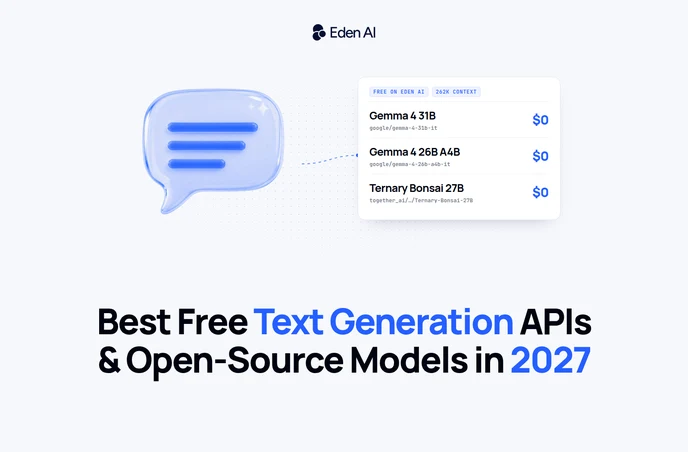
Eden AI (free Gemma 4 and Ternary Bonsai models)
- 7 models billed $0: Gemma 4 31B, Gemma 4 26B A4B, Ternary Bonsai 27B, plus four smaller Cloudflare-hosted models
- Up to 262K token context on Gemma 4 and Ternary Bonsai 27B
- One OpenAI-compatible API: the same key also gives access to hundreds of paid models
- Free models run in the global region; EU-hosted Gemma 4 endpoints are available at a low paid rate
Eden AI is best for prototyping on capable open-weight models without paying for inference, then moving to paid or EU-hosted models through the same integration. We tested all seven free models on 27 October 2026: every call was billed $0. The Gemma 4 and Ternary Bonsai models reason before answering, so leave enough room in max_tokens (500 or more), or the answer can come back empty.
Google AI Studio (Gemini 2.5 Flash)
- 1,500 requests/day, resets daily, never expires
- 1M token context window, the longest free context window available
- No credit card required
- Free-tier data may train Google models
Google AI Studio is best for long document analysis, RAG pipelines, and multi-turn conversations where context length matters more than raw throughput. The main catch is privacy: developers handling sensitive or proprietary data should carefully review Google’s free-tier data usage terms before using it in production-like tests.
Groq
- 30 RPM, around 1,000 requests/day
- Models include Llama 4 Scout, Llama 4 Maverick, Gemma 3, and Mixtral
- 500–700 tokens/second, around 10x faster than standard GPU APIs
- No credit card required
Groq is best for real-time chatbots, voice apps, and latency-sensitive workloads where response speed directly affects user experience. The catch is that the free tier is rate-limited, so it works well for demos and early testing, but may not cover sustained traffic without moving to a paid plan.
Cerebras
- 2,100 tokens/second, the fastest inference available anywhere
- 60,000 tokens/min throughput
- Model: Llama 3.3 70B
Cerebras is best for bulk summarization, high-volume text processing, and workflows that need to generate or transform large amounts of text quickly. The catch is that its free-tier value is strongest when throughput matters, so it may be less relevant for apps where model variety, multimodal support, or routing flexibility are bigger priorities.
Mistral AI
- Model: Mistral Small 4, released March 2026
- Around 1 request/second rate limit
- Data hosted in the EU and GDPR-compliant
- No credit card required
Mistral AI is best for European developers, regulated industries, and multilingual EU content where data residency and compliance matter. The catch is the lower request rate compared with some other free tiers, which makes it better for controlled testing than high-volume experimentation.
DeepSeek
- DeepSeek V3.2 and R1 reasoning model free at chat.deepseek.com
- API pricing: $0.435/M input tokens, paid but extremely cheap
- No account required for chat
DeepSeek is best for code generation, math, and complex reasoning tasks where model quality matters more than having a fully free production API. The catch is that the hosted chat experience is free, but API usage is paid, even if the pricing is low enough for many prototypes and internal tools.
OpenAI (What You Get Free, and Free Alternatives)
OpenAI offers a free ChatGPT plan with limited access to its models and features. This is useful for manual testing, prompt experiments, and occasional individual work. The available models, tools, and message limits can change, and access resets after usage caps are reached.
ChatGPT having a free plan is not the same as the OpenAI API being free. ChatGPT is an application for people to interact with directly. The API is a separate developer product used to connect OpenAI models to websites, applications, agents, and backend systems. Its billing is managed separately, and API usage is charged according to the selected model and the number of tokens or tools consumed. A ChatGPT Free, Plus, or Pro account does not provide an ongoing allowance for API calls.
For developers seeking a free alternative to OpenAI, the practical options covered above are Google AI Studio, Groq, DeepSeek, and Mistral. Each can provide hosted model inference without an initial API bill, subject to its current quotas and account terms. Test them against your own prompts rather than assuming one provider will match OpenAI across coding, structured output, reasoning, latency, and instruction following.
The catch is portability. Free access can disappear, model availability can change, and an application written around one provider’s request format may require extra work to migrate. Keep prompts, schemas, and model selection separate from application logic where possible.
“Open AI” and “open-source AI” are not the same thing. For downloadable model weights that you can run on your own infrastructure, see the self-hosting section below.
Cloudflare Workers AI
- Models include Llama 3.3 70B, Gemma 3, Mistral 7B, and FLUX image model
- 100,000 neurons/day free
- Runs at 300+ global edge locations
Cloudflare Workers AI is best for globally distributed apps that need low-latency inference close to users, especially when AI calls are part of edge functions. The catch is that its “neurons” pricing unit is less intuitive than requests or tokens, so developers need to estimate usage carefully before relying on the free tier.
HuggingFace Inference API
- 100+ open-source models accessible
- Free tier with rate limiting
- Strong coverage for niche and specialized models
HuggingFace Inference API is best for testing niche models that are not available through mainstream hosted providers, including domain-specific LLMs and experimental open-source releases. The catch is that rate limits and performance can vary by model, so it is better for exploration than predictable production workloads.
Free AI APIs for Image Generation in 2027
Image generation free tiers are more limited than free LLM APIs, especially for production workloads. Still, they are useful for testing visual features, validating prompts, building mockups, and comparing hosted APIs against self-hosted open-source models before paying for scale.
Google Gemini API: Most Generous Free Image Tier
Google Gemini API offers one of the strongest free hosted image generation options in 2027, especially for teams that want to prototype without adding payment details upfront.
- Model: Gemini 2.5 Flash Image
- 500 images/day at 1024×1024 resolution
- No credit card required
- Daily quota reset
This is best for product mockups, content illustration, and image editing workflows where developers need predictable daily capacity. The main catch is that it is still a free hosted tier, so teams should review usage, privacy, and commercial terms before moving from prototype to production.
Cloudflare Workers AI: FLUX at the Edge
Cloudflare Workers AI is a strong option when image generation needs to sit close to the application layer, especially for apps already built on Cloudflare’s developer stack.
- Models: Stable Diffusion XL and FLUX.1
- Shared from the 100K neurons/day free allowance, combined with text usage
- Runs across 300+ global edge locations
- Designed for low-latency AI features in distributed apps
This is best for image features inside globally distributed applications, where latency and edge deployment matter as much as model quality. The catch is that the free allowance is shared with text workloads, so teams using Workers AI for both LLM and image tasks need to monitor consumption carefully.
Free AI APIs for Code Generation in 2027
Code generation has its own model landscape. In 2027, the best coding APIs are not always the biggest general LLMs, but specialized models trained for repo understanding, debugging, refactoring, and low-latency completion.
DeepSeek Coder V2 / DeepSeek V3.2: Best Free Coding API
DeepSeek remains one of the strongest options for developers who need a serious coding model without paying upfront. Its free signup allowance makes it useful for testing real development workflows, not just small prompt demos.
- 5 million free tokens on API signup, valid for 30 days
- 1M token context window for large files and repo-level context
- Top-tier coding benchmark performance alongside Kimi K2.6
- Strong fit for reasoning-heavy programming tasks
DeepSeek is best for full-file refactoring, repo-level code understanding, and complex debugging where the model needs to inspect a lot of context before answering. The main catch is that the free API allowance expires after 30 days, so it is better for evaluation than a permanent free production setup.
Groq + Kimi K2.6: Fastest Code Inference
For coding assistants, latency matters as much as model quality. Groq’s inference speed makes code suggestions feel closer to local autocomplete than a traditional cloud LLM call.
- Kimi K2.6 currently leads coding benchmarks, with 78.57 on SWE-bench Verified
- Available through OpenRouter’s free tier, with rate limits
- Groq’s inference speed makes code completion feel near-instant
- Optimized for interactive developer workflows
This setup is best for IDE integrations, code autocomplete, and interactive coding assistants where fast response time is critical. The catch is availability: free access through OpenRouter is rate-limited, and model routing may not be stable enough for production without a paid fallback.
Qwen2.5-Coder / Qwen3 Coder: Best Open-Source Code Model
Qwen’s coder models are a practical choice for teams that want strong code generation without locking themselves into a hosted vendor. They combine broad language coverage with flexible deployment options.
- Apache 2.0 license, fully commercial-safe
- Supports 92 programming languages
- Available through HuggingFace, Ollama, and vLLM for self-hosting
- Also available free, with rate limits, on OpenRouter
Qwen Coder is best for teams that need to self-host models or work with privacy-sensitive codebases. The main catch is infrastructure: self-hosting gives control, but teams still need GPUs, monitoring, and model serving expertise.
Microsoft Phi-4: Best Small Code Model
Phi-4 is not the largest coding model, but its size makes it useful where deployment constraints matter. It is a strong option for teams that need local inference without heavy GPU infrastructure.
- 14B parameters
- Runs on 12GB VRAM, including many consumer GPUs
- Strong coding benchmark performance relative to size
- MIT license
Phi-4 is best for edge deployment, on-device code assistance, and resource-constrained environments where larger models are too expensive to run. The catch is that it will not match frontier coding models on complex repo-level reasoning, but it is efficient enough for local developer tools and lightweight assistants.
Best Free Open-Source AI Models You Can Self-Host
Self-hosting gives developers unlimited inference at the cost of hardware. Instead of paying per token or depending on external rate limits, teams can run models on their own GPUs, private cloud, or on-prem infrastructure. In 2027, the performance gap with proprietary models has nearly closed, making self-hosting realistic for privacy, fine-tuning, and high-volume workloads.
Open-source text and general-purpose LLMs
Open-source LLMs now cover almost every deployment profile, from frontier-scale MoE systems to small models that run on consumer GPUs. The main tradeoff is simple: larger models deliver stronger reasoning, longer context, and better multilingual performance, while smaller models are easier to serve, cheaper to fine-tune, and faster to deploy.
| Category | Model | Key Specs | License | Best For |
|---|---|---|---|---|
| Top-tier · 40GB+ VRAM | Meta Llama 4 Scout | 17B active / 109B total, 10M context | Llama 4 Community | Long-context apps, document analysis, research assistants |
| Top-tier · 40GB+ VRAM | Meta Llama 4 Maverick | 17B active / 400B total, 1M context | Llama 4 Community | General-purpose chat, reasoning, agents, extraction |
| Top-tier · 40GB+ VRAM | DeepSeek V3.2 | 671B MoE, 128K context | MIT | Reasoning, coding, complex workflows |
| Top-tier · 40GB+ VRAM | Qwen3 235B | MoE architecture, 128K context | Apache 2.0 | Multilingual apps, international SaaS products |
| Mid-tier · 16–24GB VRAM | Qwen3 27B | Strong quality/resource balance | Apache 2.0 | Self-hosted production experiments |
| Mid-tier · 16–24GB VRAM | Gemma 4 26B | MoE, 256K context, text + image input | Apache 2.0 | RAG, document understanding, multimodal workflows |
| Mid-tier · 16–24GB VRAM | Mistral Small 4 | ~22B parameters, strong European language support | Apache 2.0 | EU developers, multilingual European content |
| Small / Edge · 8–12GB VRAM | GLM-4.7 Thinking | 9B parameters, strong 8GB VRAM performance | Apache 2.0 | Local reasoning, lightweight assistants |
| Small / Edge · 8–12GB VRAM | Phi-4 | 14B parameters, strong reasoning for size | MIT | Local assistants, internal tools, constrained environments |
Open-source code generation models
Code generation has become a separate category from general text generation, with models optimized for repository understanding, debugging, refactoring, and benchmark tasks.
| Model | Self-Hostable? | Key Specs | License | Best For |
|---|---|---|---|---|
| Kimi K2.6 | ✕ No | #1 on SWE-bench Verified, 78.57 score | Proprietary / API-only | Hosted coding benchmark, advanced coding tasks |
| DeepSeek Coder V2 | ✓ Yes | 236B MoE, strong repo-level reasoning | MIT | Complex debugging, large refactors, internal copilots |
| Qwen2.5-Coder 72B | ✓ Yes | 72B parameters, supports 92 programming languages | Apache 2.0 | Multilingual codebases, code migration, test generation |
| GLM 5.1 | ✓ Yes | 9B parameters, strong coding for its size | Apache 2.0 | Local coding assistants, resource-constrained setups |
Open-source image generation models
For teams with GPU access, open-source image generation can be the most flexible free option. FLUX.1 Dev and FLUX.1 Schnell from Black Forest Labs are among the highest-quality open-source image models in 2027, with an Apache 2.0 license and a typical 12–16GB VRAM requirement.
Stable Diffusion 3.5 Large remains a practical choice for teams that want an established ecosystem, broad tooling support, and a large LoRA and fine-tuning library, but it generally needs around 16GB VRAM. SDXL Turbo is the fastest Stable Diffusion variant, with real-time generation possible on around 8GB VRAM.
The key tradeoff is simple: hosted APIs are easier to start with, but self-hosted models remove per-image limits. If you already have a GPU, open-source image generation can be unlimited and free, apart from infrastructure and maintenance costs.
Licensing: which models you can actually use commercially
“Open weights” means the model files are available to download. It does not automatically mean the license lets you embed the model in a paid product, offer it through an API, redistribute modified weights, or use it inside a company. An open license may grant those rights under stated conditions. Other licenses can restrict production use, require attribution, impose revenue or user-count thresholds, or permit research only.
Check the exact checkpoint, not just the model family. Two versions with similar names can use different licenses, and later releases may carry different terms.
| Model | License | Commercial use? | Catch |
|---|---|---|---|
| Llama 4 Scout / Maverick | Llama 4 Community License Agreement | Yes, with conditions | Products with more than 700 million monthly active users must request a separate license from Meta. Products must display “Built with Llama,” derivative model names must begin with “Llama,” and the required copyright notice must be retained. Use is also subject to Meta’s Acceptable Use Policy and supported-language conditions. |
| Qwen3 / Qwen3 Coder | Apache 2.0 | ✓ Yes | Retain the copyright notice, license text, and NOTICE file when required. State any changes made to redistributed versions. |
| Qwen2.5-Coder | Apache 2.0 on most sizes; qwen-research on 3B | Depends on size | The 3B checkpoint uses a research license rather than Apache 2.0. Check the exact model size before commercial use. |
| DeepSeek V3.2 | MIT | ✓ Yes | Verified for DeepSeek-V3.2-Exp. Include the copyright notice and license text when redistributing the model or substantial portions of it. |
| DeepSeek Coder V2 | Custom DeepSeek Model License | ✓ Yes | The repository code is MIT, but the model weights use a separate license that permits commercial use. Read the Model License rather than relying on the repository badge. |
| Mistral Small 3.2 24B | Apache 2.0 | ✓ Yes | Confirm that the article refers to Mistral Small 3.2 24B, since other releases with similar names may use different terms. |
| Codestral 22B v0.1 | Mistral AI Non-Production License, MNPL-0.1 | ✕ No | Limited to testing, research, personal use, and evaluation in non-production environments. Commercial supply, hosted access, managed services, and production use require a separate license from Mistral AI. |
| Microsoft Phi-4 | MIT | ✓ Yes | Include the copyright notice and license text when redistributing the model or substantial portions of it. |
| FLUX.1 [schnell] | Apache 2.0 | ✓ Yes | Personal, scientific, and commercial use are permitted, subject to the Apache 2.0 terms. |
| FLUX.1 [dev] | FLUX.1 [dev] Non-Commercial License | No, for the weights | The weights are restricted to non-commercial use. Generated outputs may have separate commercial-use rights under the agreement, so check the output provisions before using generated images commercially. |
| FLUX.1 [pro] | Proprietary, API access only | Paid API use only | The weights are not publicly released, so the model cannot be self-hosted. |
| Stable Diffusion 3.5 Large | Stability Community License | Yes, below $1M annual revenue | Free for research, non-commercial work, and commercial use by individuals or organizations earning less than $1 million in total annual revenue. An Enterprise License is required above that threshold. |
| SDXL 1.0 / SDXL Turbo | CreativeML Open RAIL++-M | Conditional | Commercial use is permitted subject to use-based restrictions. Read the prohibited-use provisions and the exact model card before deploying the model in a product. |
For each model, open the official Hugging Face repository and read both the model card and the LICENSE or LICENSE.md file. Do not rely only on the license badge, a third-party quantization, or a blog summary. Confirm that the repository belongs to the original publisher, then record the model revision you reviewed. For a fine-tune, adapter, merge, or quantized copy, inspect its license too, because downstream files can add separate obligations.
License terms checked 28 July 2026. Verify before relying on this for a production decision.
Hardware requirements: VRAM needed per model
VRAM depends mainly on parameter count, numerical precision, quantization, and context length. The figures below are calculated from verified Hugging Face parameter counts, using two bytes per parameter for FP16 or BF16 and approximately 0.55 bytes per parameter for 4-bit weights. Quantization cuts weight memory by more than half, but can reduce output quality or inference speed depending on the format and runtime. These estimates cover model weights only, not total peak memory.
| Model | Params | VRAM (FP16/BF16) | VRAM (4-bit) | Realistically runs on |
|---|---|---|---|---|
| Phi-4 | 14.7B | 29 GB | ~8 GB | 4-bit on a 12 GB consumer GPU |
| Mistral Small 3.2 24B | 24.0B | 48 GB | ~13 GB | 4-bit on a 16 GB consumer GPU |
| Qwen3-Coder 30B-A3B | 30.5B | 61 GB | ~17 GB | 4-bit on one 24 GB GPU, such as an RTX 4090 or 3090 |
| Qwen2.5-Coder 32B | 32.8B | 66 GB | ~18 GB | 4-bit on one 24 GB GPU |
| Mixtral 8x7B | 46.7B | 93 GB | ~26 GB | 4-bit on 32 GB, or two 24 GB GPUs |
| Llama 4 Scout | 108.6B | 217 GB | ~60 GB | 4-bit on one H100 80 GB; FP16 needs about three |
| Qwen3 235B-A22B | 235.1B | 470 GB | ~129 GB | Two H100 80 GB GPUs at 4-bit |
| DeepSeek Coder V2 | 235.7B | 471 GB | ~130 GB | Two H100 80 GB GPUs at 4-bit |
| Llama 4 Maverick | 401.6B | 803 GB | ~221 GB | Three to four H100 GPUs at 4-bit |
| Qwen3-Coder 480B-A35B | 480.2B | 960 GB | ~264 GB | Four H100 GPUs at 4-bit |
| DeepSeek V3.2 | 685.4B | 1,371 GB | ~377 GB | Multi-node infrastructure or rented cloud |
| GLM 5.1 | 753.9B | 1,508 GB | ~415 GB | Multi-node infrastructure or rented cloud |
| SDXL 1.0 | 2.6B | 5 GB | ~2 to 3 GB | 8 GB consumer GPU |
| Stable Diffusion 3.5 Large | 8.1B | 16 GB | ~6 GB | 16 GB at FP16, less with component offloading |
| FLUX.1 dev / schnell | 11.9B | 24 GB | ~8 to 12 GB | 24 GB at BF16; 12 to 16 GB with FP8 or offloading |
Add roughly 15 to 25% for the KV cache, activations, and framework overhead at moderate context lengths. A 128K context can add tens of gigabytes, and quantizing the weights does not shrink the KV cache.
Diffusion pipelines behave differently because their text encoders, transformer, and VAE can be loaded or offloaded separately. This is why FLUX can run in 12 to 16 GB despite having about 24 GB of BF16 weights.
These figures are calculated from parameter counts, not measured benchmarks. Actual usage depends on the checkpoint, runtime, context length, batch size, and offloading configuration.
How to run these open-source models
The right runtime depends on whether you are testing locally, deploying in production, or targeting edge hardware.
Ollama is the simplest way to start. It lets developers run models with a single command, such as ollama run llama4-scout, and is ideal for local testing, demos, and fast prototyping.
LM Studio is GUI-based, making it useful for product managers, analysts, and non-technical team members who need to test models without using the terminal.
Atomic Chat is an open-source app for running AI models and agents locally, with apps for macOS, Windows, Linux, iOS, and Android. You can run models on your phone or start a server on your computer and connect from the mobile app, using your computer's hardware for inference. On desktop, its OpenAI-compatible local API lets you connect agents such as Cline and OpenClaw. Atomic Chat also supports TurboQuant for more memory-efficient local inference.
vLLM is the best choice for production serving. It provides an OpenAI-compatible API server, high throughput, batching, and efficient GPU utilization.
llama.cpp is optimized for CPU inference and low-resource environments, making it useful for edge devices, embedded systems, and machines with minimal VRAM.
Tip: use 4-bit quantization, especially Q4_K_M, to roughly halve VRAM requirements with minimal quality loss for many inference workloads.
Free AI API vs. Open-Source Models: Which Should You Use?
The real tradeoff is setup speed versus control. A hosted free AI API lets you start testing within minutes, without provisioning GPUs or maintaining inference infrastructure. Self-hostable open-source models give you more control over data, deployment, model changes, and costs, but require hardware and engineering time. The right option depends on your traffic, compliance requirements, latency targets, and whether the project is a prototype or a production system.
| Your constraint | Recommendation | Why |
|---|---|---|
| You want zero setup | Hosted free tier | You receive an API key and can start sending requests without managing infrastructure. |
| Data cannot leave your environment | Self-hosted open-source model | Prompts, outputs, and logs remain inside infrastructure you control. |
| You have EU or GDPR constraints | EU-hosted provider such as Mistral AI, or self-hosting | You can select a suitable processing region and control where data is stored. |
| You need fine-tuning | Open-source model | You can modify weights, train adapters, and control the deployment, subject to the license. |
| You expect 10,000+ daily users | Paid API tier or unified AI gateway | Free quotas are unlikely to provide dependable production capacity at that scale. |
| You already have a GPU server | Self-hosted open-source model | Existing hardware can make local inference more economical. |
| You have no GPU access | Hosted free AI API | The provider supplies and operates the inference hardware. |
| You need the lowest possible latency | Self-host near the application, or use a nearby hosted endpoint | Network distance, model size, hardware, and queueing affect response time. |
| You are prototyping | Hosted free tier | It minimizes setup work and makes model comparison faster. |
| You are moving to production | Paid hosted API or managed self-hosting | Production needs stable capacity, monitoring, fallback handling, and predictable support. |
Use a hosted free tier for zero setup
A hosted free tier is the fastest route from an idea to a working prototype. You do not need to download model weights, select a quantization format, provision a GPU, or maintain an inference server. The provider handles deployment and scaling while you integrate through an API. This is a good fit for testing prompts, comparing models, building demos, and validating demand. The limitation is control: quotas, model availability, data policies, and pricing can change, so avoid treating free access as guaranteed production infrastructure.
Use self-hosting for data residency and GDPR constraints
Self-hosting gives you direct control over where prompts, outputs, logs, and model files are processed and stored. This matters when data cannot leave a company network or an approved cloud region. An EU-hosted service, including an eligible Mistral AI deployment, may also satisfy the requirement with less infrastructure work. Check the exact endpoint, subprocessors, retention terms, and training policy before sending personal or proprietary data. GDPR compliance depends on the complete processing setup, not only the model provider’s headquarters.
Use open-source models when you need fine-tuning
Open-source models are the better fit when prompt engineering is not enough and you need to change model behavior through fine-tuning, adapters, or continued training. You can build a domain-specific model, control its serving stack, and keep the resulting weights inside your environment. This flexibility comes with operational work, including dataset preparation, evaluation, GPU capacity, versioning, and monitoring. Check the model license before training or distributing a derivative, since downloadable weights do not always include unrestricted commercial rights.
Free Tier Stacking: How to Get Free 5,000+ Requests/Day
Free tiers get much more useful when you stop treating them as isolated offers. Each provider is generous in a different place: Google gives long context, Groq gives speed, DeepSeek is strong for code, Gemini covers images. Route requests by task type instead of sending everything to one API, and your free allowance compounds.
With this setup, a developer can realistically combine:
- 1,500 daily text requests from Google AI Studio
- Around 1,000 low-latency requests from Groq
- Code generation capacity from DeepSeek’s 5M signup tokens
- 500 image generations from Gemini Image API
That puts the combined free capacity around 3,500–5,000 requests/day at $0, depending on request size, token usage, rate limits, and how aggressively you use fallback routing.
The catch is operational complexity. You now have five API keys, five dashboards, different authentication formats, inconsistent response schemas, separate rate-limit logic, provider-specific errors, and no shared usage view. Free-tier stacking works, but it adds a routing and monitoring layer that your application has to own.
The next step is making this architecture usable without maintaining every provider integration yourself.
Access All Free AI APIsThrough One Endpoint
Juggling free tiers works until your app has to manage five provider keys, normalize five response formats, track five rate limits, and rewrite integration code every time you switch models. The problem is not finding free AI APIs. The problem is keeping them usable once your workflow spans text, image, code, OCR, speech, and fallback logic.
Eden AI turns that stack into one integration:
- One API key, one request format: access 500+ LLMs and specialized AI models across text, vision, OCR, speech, translation, and more.
- Switch providers by changing one parameter: test Google, Groq, Mistral, OpenAI, DeepSeek, and other providers without rewriting your integration.
- Built-in fallback routing: if one provider fails, slows down, or hits a rate limit, Eden AI can automatically route the request to the next available provider.
For developers, the benefit is not just cleaner code. It also means centralized monitoring, easier provider comparison, and fewer changes when a model is deprecated, repriced, or replaced.
Eden AI’s self-serve API Gateway gives access to hundreds of models through one unified API, with no subscription, no hidden costs, and no API call limit. Pricing is pay-as-you-go with provider prices passed through directly and a 5.5% platform fee applied when purchasing credits, so you can start small and scale only when usage justifies it.
FAQs - Best Free AI APIs and Open-Source AI Models in 2027
The best free AI API overall is Google AI Studio with Gemini 2.5 Flash, because it combines a generous daily limit, long context, and no credit card requirement. Groq is the better choice when speed matters, especially for chatbots and real-time apps. Eden AI is useful if you want access to multiple providers through one API key instead of managing each integration separately.
Google AI Studio, Groq, Cerebras, Mistral, and Eden AI all offer genuine free tiers without requiring a credit card. This makes them practical for testing models before committing to paid usage. Limits still vary by provider, so check each provider’s current pricing page before using them in production.
The best free AI API for developers depends on the workload. Groq is best for speed and chatbot latency, Gemini is best for long-context tasks such as RAG and document analysis, and DeepSeek is best for code generation and reasoning. For larger prototypes, developers can stack several free tiers and route each request to the provider that fits the task.
The strongest open-source AI models in 2027 include Llama 4 Scout for long-context tasks, with a 10M-token context window, and DeepSeek V3.2 for reasoning and coding. Qwen3 235B is one of the best options for multilingual applications. Gemma 4 is also strong for multimodal use cases, with a 256K context window and support for text and image inputs.
Yes. Google Gemini Image API offers a free image generation tier with up to 500 images per day, and Cloudflare Workers AI also includes image models such as FLUX through its free allowance. For unlimited image generation, developers can self-host open-source models such as FLUX.1 or Stable Diffusion 3.5 on their own GPU.
Cerebras is the fastest free AI API listed here, with inference speeds of up to 2,100 tokens per second. Groq is next, with roughly 500 to 700 tokens per second depending on the model and workload. Both offer free access without requiring a credit card.

.jpg)