Summarize this article with:
- Choose based on the hardest part of your workflow, not headline accuracy. Mindee is strong for developer speed, Azure for line-item extraction, Google for GCP-native teams, and Eden AI for multi-provider access and fallback.
- Field accuracy and line-item accuracy are not the same. Clean digital invoices may reach 95–99% field accuracy, while tables, tax breakdowns, and scanned documents remain less reliable.
- Test with your own invoices before committing. Include scans, digital PDFs, multiple languages, unusual layouts, credit notes, and complex tables to measure real extraction and correction rates.
- Compare total cost, not only price per page. Factor in subscriptions, retries, human review, custom models, workflow seats, storage, and the engineering effort required to maintain the integration.
- Compliance and switching flexibility matter at scale. Check GDPR, SOC 2, retention, and hosting requirements, and consider a unified API when you need standardized JSON, cost routing, or provider fallback.
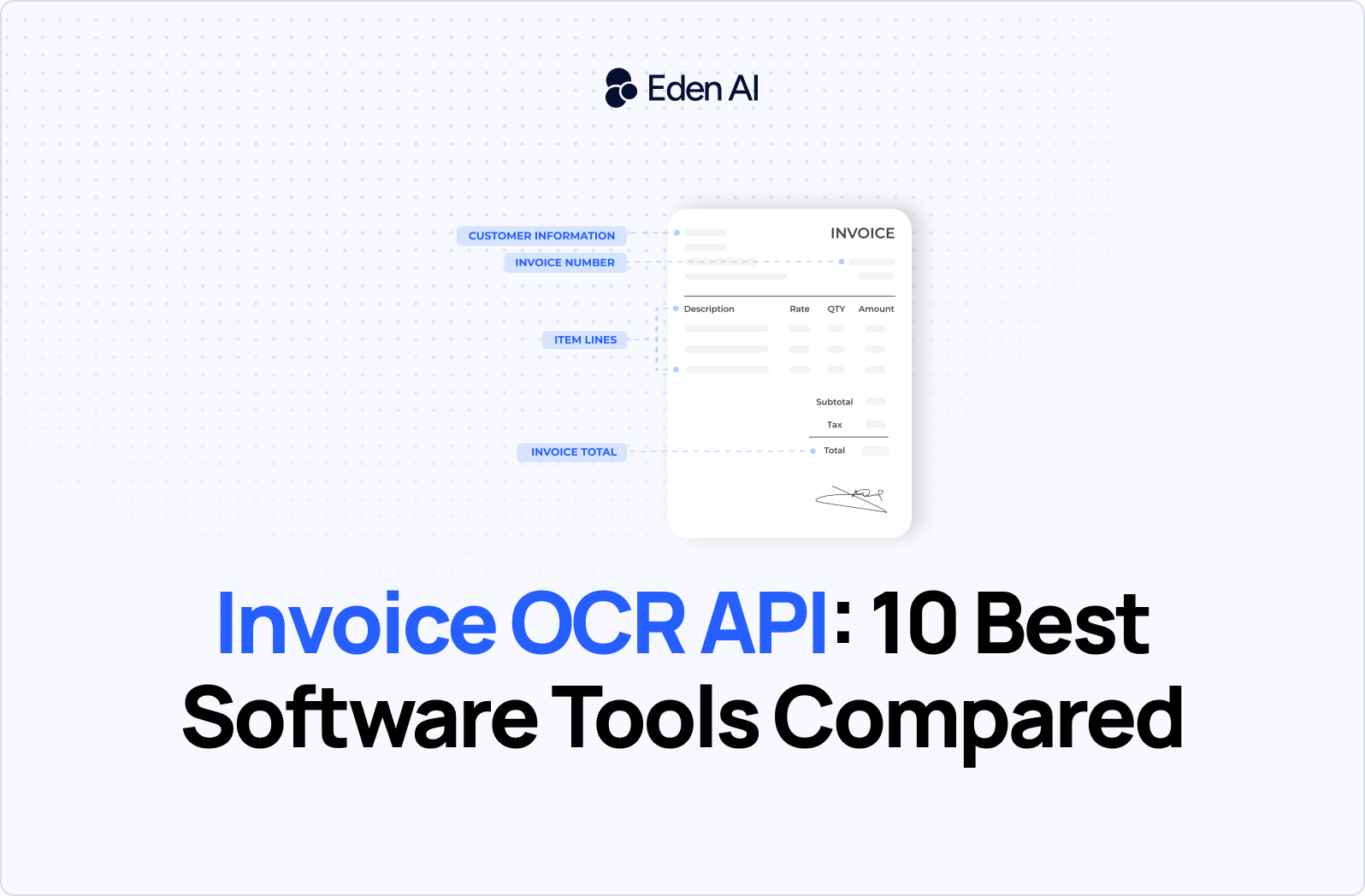
An invoice OCR API is a software interface that reads invoices from PDFs, scans, or images and extracts structured fields such as supplier name, invoice number, dates, totals, taxes, currencies, payment terms, and line items. It returns the data in JSON or another machine-readable format, automating manual entry into accounting, ERP, procurement, and accounts payable systems.
.png)
In 2026, teams are adopting invoice OCR APIs to process higher document volumes without expanding manual operations. Modern tools can handle multiple layouts, languages, and file types, while features such as confidence scores, validation rules, table extraction, and human review help reduce errors. The main challenge is choosing the right balance of accuracy, line-item performance, latency, compliance, integration effort, and price.
This guide compares 10 leading invoice OCR API and invoice OCR software options, including Mindee, Veryfi, Google Cloud Document AI, Microsoft Azure Document Intelligence, AWS Textract, Klippa, Affinda, Base64.ai, Dataleon, and Eden AI. You will see where each tool performs well, where it falls short, how pricing and deployment models differ, and which options fit specific technical and operational requirements. The final section provides a practical framework for selecting the best invoice OCR for your workflow.
Top 10 Best Software Tools in 2026
Mindee is the strongest choice for developer speed, while Azure Document Intelligence stands out for line-item and table extraction. Google Cloud Document AI fits teams already committed to GCP. Eden AI is the better fit when you need one invoice OCR API for provider comparison, standardized output, fallback, and cost-based routing.
1. Mindee
Mindee is a developer-first invoice OCR API designed for teams that want to move from sample documents to production quickly.
Best for: Developers who prioritize straightforward API integration, clear documentation, and predictable per-page pricing.
Pros:
- Offers prebuilt invoice parsing that extracts fields such as supplier details, invoice numbers, dates, totals, taxes, and line items.
- Provides a developer-focused API experience that reduces the amount of document-processing infrastructure teams need to build themselves.
- Has strong user ratings, with scores in the 4.8–4.9 range across G2 and Capterra.
Cons:
- Prebuilt models may require custom validation or additional rules for unusual invoice layouts and industry-specific fields.
- Per-page costs can become significant for high-volume workloads, especially when documents contain multiple pages or require reprocessing.
Pricing: 25 free pages per month, then $0.10 per page.
2. Veryfi
Veryfi is an invoice and receipt data extraction platform focused on real-time processing, mobile capture, and finance automation.
Best for: Applications that need fast invoice capture from mobile devices, cameras, scans, or uploaded documents.
Pros:
- Supports real-time document processing, making it suitable for expense management, field operations, and mobile accounting applications.
- Offers on-device mobile capture capabilities that can improve image quality before a document reaches the extraction workflow.
- Supports enterprise security and privacy requirements, including SOC 2 Type II compliance and GDPR-related data protection controls.
Cons:
- Its finance-focused feature set may be more extensive than needed for teams that only require basic invoice fields.
- Pricing and plan limits need to be evaluated directly, particularly for applications with high document volumes or strict latency requirements.
Pricing: From $0.16/invoice (w/ line items), $0.08/receipt; $500/mo minimum.
3. Google Cloud Document AI
Google Cloud Document AI is a GCP-native document processing service with prebuilt invoice parsers and integration into Google Cloud infrastructure.
Best for: Engineering teams already using Google Cloud for storage, data pipelines, analytics, security, or machine learning operations.
Pros:
- Integrates naturally with Google Cloud services such as Cloud Storage, BigQuery, Pub/Sub, and Vertex AI.
- Provides prebuilt invoice extraction without requiring teams to train a document model from scratch.
- Offers usage-based pricing that can be attractive for teams processing large numbers of relatively short documents.
Cons:
- Reported performance is stronger for top-level invoice fields than for complex line items, with approximately 82% field accuracy and around 40% line-item accuracy in the supplied benchmark.
- Setup can become operationally complex when projects require custom processors, GCP permissions, regional controls, and post-processing logic.
Pricing: $0.10 per 10 pages.
4. Microsoft Azure Document Intelligence
Microsoft Azure Document Intelligence is an invoice OCR and document extraction service known for strong table and line-item parsing.
Best for: Accounts payable and finance workflows where line-item structure, tables, quantities, unit prices, and totals are critical.
Pros:
- Performs strongly on structured tables and line-item extraction, an area where many general invoice OCR tools remain inconsistent.
- Integrates with the wider Microsoft ecosystem, including Azure storage, Power Automate, Logic Apps, and enterprise identity controls.
- Supports both prebuilt invoice models and custom document extraction for organizations with specialized formats.
Cons:
- Azure configuration, resource management, and model selection can add complexity for teams without existing Microsoft cloud expertise.
- Output may still require validation when invoices contain merged cells, nonstandard tax structures, handwritten content, or poor-quality scans.
Pricing: $10 per 1,000 pages (~$0.01/page), prebuilt invoice model.
5. AWS Textract
AWS Textract is a document analysis service for extracting text, forms, and tables within AWS-based processing pipelines.
Best for: Enterprises that already store documents in AWS and need invoice extraction integrated with existing cloud workflows.
Pros:
- Provides strong table detection for invoices with structured rows, columns, quantities, prices, and totals.
- Connects directly with services such as Amazon S3, Lambda, Step Functions, SNS, and SQS for event-driven processing.
- Fits enterprise architectures that already use AWS identity, monitoring, encryption, and data governance controls.
Cons:
- Textract is a general document extraction service, so invoice-specific normalization and business validation may require additional application logic.
- Reconstructing complex tables and mapping extracted values into a consistent invoice schema can require substantial post-processing.
Pricing: ~$0.0015–$0.10/page
6. Klippa Doxis
Klippa Doxis is a European intelligent document processing platform covering invoices, receipts, identity documents, and other business files.
Best for: SMBs and European organizations looking for multilingual extraction with EU-focused hosting and GDPR considerations.
Pros:
- Supports multilingual invoice processing, which is useful for companies receiving documents from several countries or suppliers.
- Offers European hosting and GDPR-oriented deployment options for teams with regional data residency requirements.
- Targets accessible document automation for smaller and mid-sized organizations rather than only large enterprise accounts.
Cons:
- Public benchmark data for invoice field and line-item accuracy should be validated against the customer’s own document set.
- Teams with highly customized accounts payable processes may need workflow configuration or additional integrations beyond the core API.
Pricing: Pay-as-you-go; custom quote for invoice OCR (by fields + volume).
7. Affinda
Affinda is a document extraction provider with specialist models for invoices and other financial or business documents.
Best for: Teams that need focused financial-document extraction rather than a broad, general-purpose OCR engine.
Pros:
- Concentrates on structured document understanding, including invoice fields that require more than basic text recognition.
- Can support financial workflows where extracted data must be mapped into consistent business fields and downstream systems.
- Offers an API-based approach that can be integrated into accounting, procurement, and document review applications.
Cons:
- Accuracy can vary across suppliers, languages, scans, and complex line-item formats, so representative testing is still required.
- It may offer less value for teams that need a single platform covering many unrelated document or AI use cases.
Pricing: Custom / contact sales (per-page credits, not publicly listed).
8. Base64.ai
Base64.ai is an intelligent document processing platform with broad document-type coverage, API access, and no-code workflow options.
Best for: Organizations processing invoices alongside many other document types through the same extraction platform.
Pros:
- Supports a wide range of document categories, which can reduce the need to integrate a separate provider for every file type.
- Provides both API and no-code options, allowing technical teams and operations users to work with the same platform.
- Can fit mixed document workflows that combine invoices, receipts, forms, identity documents, and supporting files.
Cons:
- Broad document coverage does not guarantee the best invoice accuracy for every layout, especially complex nested tables.
- Teams should compare output consistency and pricing against more specialized invoice OCR software before committing at scale.
Pricing: Usage-based, ~$0.01/page; annual plans from 1,000 pages/mo; enterprise custom.
9. Dataleon
Dataleon is a European intelligent document processing platform that combines document extraction with configurable business workflows.
Best for: European teams that want invoice OCR embedded within a broader document review, validation, and automation process.
Pros:
- Provides workflow-oriented document processing rather than limiting the product to raw OCR output.
- Fits use cases where invoices must move through extraction, validation, exception handling, and downstream business actions.
- Offers a European provider option for organizations considering data location, procurement, and regulatory requirements.
Cons:
- Workflow features may add unnecessary complexity for developers who only need a lightweight invoice data extraction API.
- Public pricing and standardized invoice accuracy figures should be confirmed through direct testing and vendor documentation.
Pricing: Tiered by volume (rates not public).
10. Eden AI
Eden AI is a unified API layer that lets developers test, compare, and switch between invoice OCR providers without rebuilding each integration.
Best for: Teams that want multi-provider access, standardized JSON, fallback, and cost-based routing through one invoice OCR API.
Pros:
- Provides one integration for accessing multiple invoice OCR providers, including Mindee, Veryfi, Google, Azure, AWS, Klippa, Affinda, Base64.ai, and Dataleon.
- Normalizes provider responses into a standardized JSON structure, reducing the amount of provider-specific parsing code.
- Supports provider fallback and routing, allowing teams to change providers based on availability, cost, geography, or document requirements.
Pricing: Pay-as-you-go.
How to choose the best invoice OCR software
The best invoice OCR software combines reliable field and line-item extraction, support for your actual document mix, suitable language and format coverage, predictable pricing, required compliance controls, and manageable integration effort. Buyers should test each option on representative invoices rather than relying on a single headline accuracy score.
1. Compare field accuracy with line-item accuracy
Modern invoice parsers can reach approximately 95–99% accuracy on common fields in clean digital PDFs, but this does not mean every table row, tax value, quantity, or unit price will be extracted correctly. Line-item extraction remains harder, especially when invoices contain nested tables, merged cells, multiple tax rates, or inconsistent column headings.
Ask vendors to separate results for header fields and line items. A tool that accurately extracts invoice numbers and totals may still perform poorly on the product-level data needed for reconciliation, inventory, or cost allocation. The best invoice OCR for accounts payable is the one that performs well on the fields your workflow actually uses.
2. Test digital PDFs and scanned documents separately
Digital invoices usually contain an embedded text layer and are easier to process than scans, photographs, faxes, or compressed attachments. Scanned documents generally produce lower accuracy because of blur, skew, shadows, handwriting, stamps, and low-resolution text.
Invoice scanning software should include image preprocessing, orientation correction, quality detection, and confidence scores. Build a test set that reflects your real input channels rather than evaluating only clean sample PDFs.
3. Check languages, currencies, and invoice formats
Confirm support for the languages, alphabets, date formats, decimal separators, tax systems, and currencies used by your suppliers. Multilingual coverage is especially important for companies receiving invoices across several countries.
Also test credit notes, purchase orders, pro forma invoices, handwritten annotations, multi-page invoices, and invoices with several VAT rates. “Invoice support” can mean very different levels of format coverage across vendors.
4. Model the full pricing structure
Invoice OCR pricing typically falls into per-page, monthly subscription, or negotiated enterprise models. Public pricing in 2026 ranges from around $0.10 per page for some API products to roughly $299 per month for platforms such as Docsumo and $300 or more per month for Rossum.
Include minimum commitments, setup fees, retries, extra pages, human review, custom model training, storage, and workflow seats. A low page price may not be the lowest total cost once operational features are added.
5. Verify compliance and hosting requirements
Review GDPR terms, data retention, subprocessors, encryption, SOC 2 status, and regional hosting before sending production invoices. European organizations may also need EU data residency or an EU-hosted processing option.
Do not treat “GDPR compliant” as sufficient on its own. Confirm where files are processed, how long they are retained, and whether data is used for model training.
6. Estimate integration and maintenance effort
An API may suit a developer-led product, while no-code invoice OCR software may be better for finance teams that need review queues and workflow configuration. Compare SDK quality, documentation, JSON consistency, webhooks, batch processing, confidence scores, and fallback support.
Also consider the long-term cost of switching providers. A unified API can reduce migration work by standardizing outputs and allowing teams to test several parsers through one integration.
An invoice OCR API typically accepts a PDF or image through a POST request and returns structured data that your application can send to an ERP, accounting platform, database, or review workflow. The exact endpoint and authentication method vary by provider, but the basic request-and-response pattern is similar.
How to call an invoice OCR API
An invoice OCR API typically accepts a PDF or image through a POST request and returns structured data that your application can send to an ERP, accounting platform, database, or review workflow. The exact endpoint and authentication method vary by provider, but the basic request-and-response pattern is similar.
Illustrative request:
Illustrative response:
In production, you should also inspect confidence scores, validate totals, handle failed documents, and send uncertain fields to manual review. Test the API with digital PDFs, scans, multiple suppliers, and complex line-item tables before selecting a provider.
Eden AI provides one API for testing and using the 10 invoice OCR providers covered in this guide. It standardizes their JSON responses and supports provider fallback and cost-based routing, reducing the work required to compare or switch services. You can get a free API key to test the integration with your own invoices.

.jpg)