Summarize this article with:
- No receipt OCR API is best for every workflow. Azure and Base64.ai lead on language coverage, Veryfi, Klippa, and Tabscanner add fraud detection, while Mindee focuses on speed and simple integration.
- Treat accuracy claims as directional. Most figures are vendor-reported, and independent tests often disagree, especially on line-item extraction. Benchmark providers on your own receipts before choosing one.
- Compare field coverage, not just OCR quality. Key decision points include line items, tax or VAT, tips, handwriting, multi-currency support, latency, fraud detection, and compliance requirements.
- Pricing varies significantly. Hyperscalers cost about $10 per 1,000 pages, while specialist providers may use monthly plans, per-document pricing, minimum commitments, or quote-only contracts.
- A multi-provider strategy reduces integration risk. Eden AI lets teams test all 10 providers through one API key, switch providers with minimal code, and use fallback or routing rules based on language, confidence, cost, or document type.
Choosing a receipt OCR API is harder than it looks. Dozens of providers promise high accuracy, but their pricing models, language coverage, line-item extraction, and receipt recognition capabilities vary widely. Most accuracy figures are vendor-claimed, and independent tests often produce different results.
This guide compares 10 APIs across the factors that matter most in production: claimed accuracy, supported languages, line-item parsing, fraud detection, and price. It also looks at how each parser handles real receipt data, from totals and taxes to merchant details and individual products.
You will also see how to test multiple receipt scanner providers through one API key, without building a separate integration for each vendor. The comparison starts with the criteria that should guide your evaluation.
The 10 best receipt OCR APIs in 2026 (at a glance)
Accuracy figures below are vendor-claimed or otherwise directional unless stated, so benchmark each receipt OCR API on your own receipts before making a decision.
What is receipt OCR (and how it differs from a parser or scanner)?
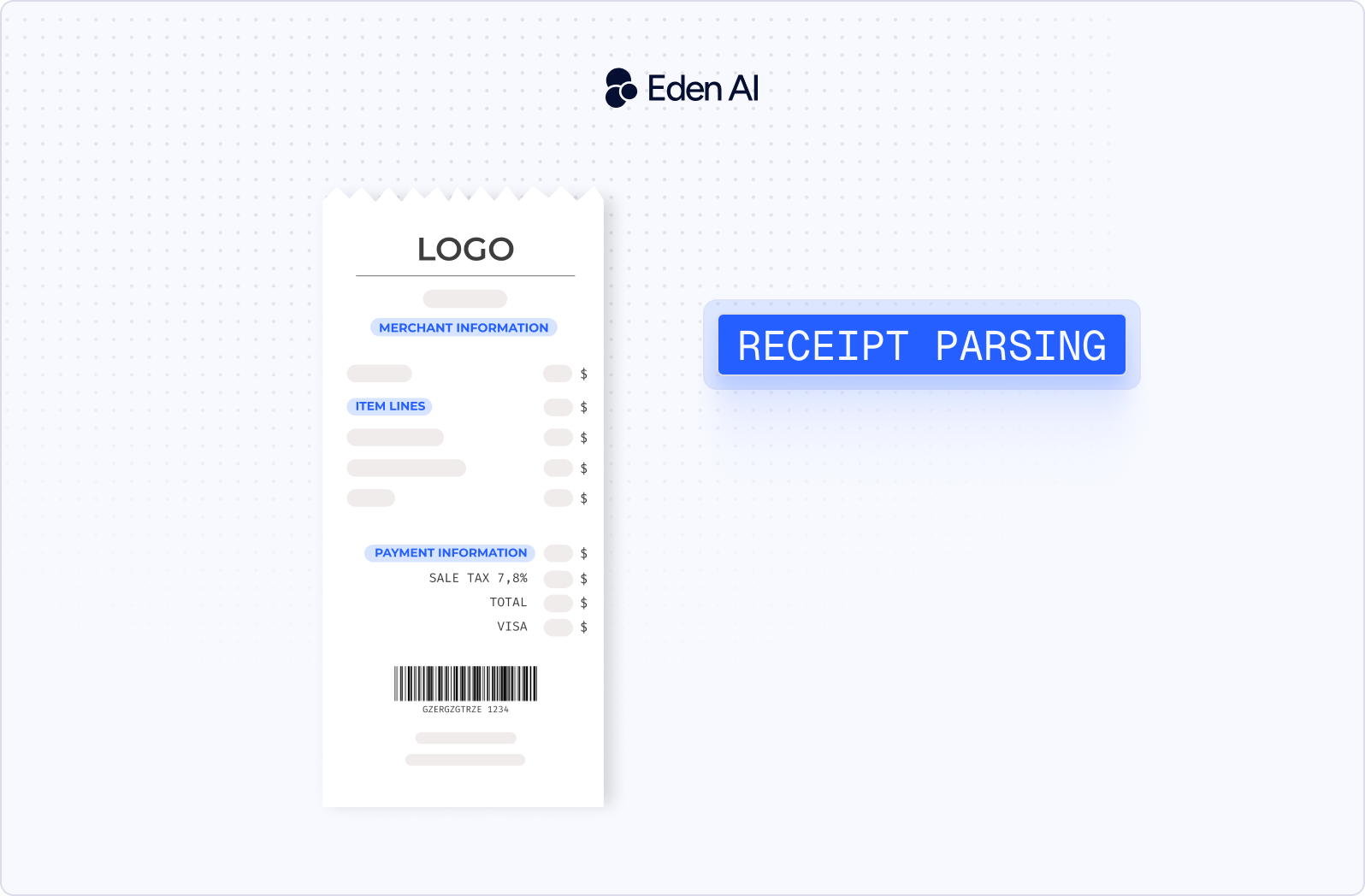
Receipt OCR is technology that extracts text and structured data from scanned receipts, photographed receipts, and PDF files. A receipt OCR API typically turns an image or document into machine-readable fields that software can store, validate, or send to another system.
Receipt OCR vs. receipt parser vs. receipt scanner vs. receipt recognition
These terms are often used interchangeably, but they describe different parts of the process.
Receipt OCR focuses on reading the raw text visible on a receipt. A receipt parser takes that text and maps it to structured fields such as merchant name, date, tax, total, and line items. An OCR receipt scanner usually refers to the capture step, often through a mobile camera, upload form, or document scanner. Receipt recognition is the broader term covering the full workflow, from image capture and text detection to classification and structured extraction.
In practice, many receipt scanning APIs combine all four functions in one endpoint, so product pages may use the terms without making a strict distinction.
How receipt OCR works
The process usually starts with image preprocessing. The system removes noise, corrects rotation, improves contrast, and straightens skewed receipts to make the text easier to read.
Next, the OCR engine detects text regions and converts the visible characters into digital text. A parser then identifies fields such as the merchant, date, total, tax, and individual line items. The final result is usually returned as structured JSON that can be passed into expense management, accounting, loyalty, or fraud detection workflows.
In 2026, more providers are using transformer-based models and LLM-assisted extraction to handle irregular layouts, faded print, handwritten tips, and other messy real-world receipt formats.
What fields a good receipt API extracts
A capable receipt OCR API should extract:
- Merchant name and address
- Date and time
- Total amount
- Subtotal
- Tax or VAT
- Tip or gratuity
- Line items, including description, quantity, and unit price
- Currency
- Payment method
- Receipt number
How to choose a receipt OCR API in 2026
The best receipt OCR API depends on your document mix, target markets, latency requirements, and the level of structure your application needs. Compare providers against the same criteria before committing to an integration.
- Field accuracy vs. line-item accuracy: A provider may extract totals reliably but perform worse on product descriptions, quantities, and unit prices.
- Language coverage: Check whether the API supports the languages and receipt formats used in your target countries.
- Handwriting support: This matters for handwritten tips, notes, corrections, and manually completed receipts.
- Tip and gratuity extraction: Confirm that tips are returned as a separate field rather than merged into the total.
- Multi-currency support: The API should identify the correct currency and distinguish similar symbols such as dollars, pesos, or pounds.
- Fraud and tamper detection: Some providers can flag edited images, duplicate receipts, or suspicious document patterns.
- Latency: Measure response times under realistic traffic, especially for mobile scanning or real-time expense workflows.
- Input formats: Verify support for images, PDFs, camera captures, and mobile SDKs where required.
- Free tier: A free allowance or trial makes it easier to test real receipts before paying for production usage.
- Pricing model: Compare per-page, per-document, per-field, subscription, and volume-based pricing.
- Compliance: Review GDPR, HIPAA, data retention, regional hosting, and security requirements relevant to your use case.
Why you should benchmark on your own receipts
Headline accuracy figures are usually vendor-reported, and independent tests often disagree. Results vary because providers use different datasets, receipt types, languages, image quality, scoring methods, and definitions of accuracy.
A model that performs well on clean retail receipts may struggle with restaurant bills, faded thermal paper, handwritten tips, or receipts from another country. The only accuracy number you can rely on is one produced from your own sample. Build a representative test set, define the fields that matter, and compare several providers using the same scoring method. This is why testing multiple receipt OCR APIs before integration is more useful than relying on a single published percentage.
Top 10 receipt OCR APIs compared in detail
1. Amazon Textract (AnalyzeExpense)
Amazon Textract AnalyzeExpense is designed to extract normalized fields from receipts and expense documents within AWS workflows. Independent tests have reported approximately 93% field accuracy and 89% line-item accuracy, but these results are disputed and should not be treated as universal benchmarks.
Key capabilities: More than 50 normalized fields, including vendor, date, total, subtotal, tax, gratuity, and line items with quantity and unit price.
Languages: English only.
Pricing: Approximately $10 per 1,000 pages, with 150 pages per month free for the first three months.
Best for: Teams already building and operating on AWS.
Limitation: English-only processing is a major constraint, and the API does not provide handwriting or fraud-detection features.
2. Google Document AI (Expense Parser)
Google Document AI Expense Parser extracts more than 20 receipt entities, including tips, currency, and line items. Its Custom Extractor is now Gemini-powered, with Gemini 3 Pro and Flash in preview and fine-tuning available from approximately 10 documents.
Key capabilities: Structured extraction for receipt fields, currency, tips, and line items, plus a path to customized LLM-based extraction.
Languages: Eight languages: German, English, Spanish, French, Japanese, Dutch, Italian, and Portuguese.
Pricing: $10 per 1,000 pages, with no charge for empty or failed documents and no dedicated free tier.
Best for: Multilingual receipt processing and teams that want a Gemini-based customization path.
Limitation: One independent test reported weak line-item and table extraction, so production performance should be benchmarked on representative receipts.
3. Microsoft Azure AI Document Intelligence (Prebuilt Receipt)
Microsoft Azure AI Document Intelligence extracts common receipt fields such as merchant, date, total, tax, tip, and line items. Version 4.0 adds receipt-type identification and improved handling for VAT and hotel receipts.
Key capabilities: Structured receipt fields, line items, handwriting support, receipt classification, VAT handling, and hotel receipt processing.
Languages: Approximately 130 languages, the widest coverage among the three hyperscalers in this comparison.
Pricing: Approximately $10 per 1,000 pages, with an F0 free tier limited to two pages.
Best for: Enterprises on Azure that need compliance support and broad language coverage.
Limitation: Processing is asynchronous only, and Microsoft does not publish a receipt-specific accuracy figure.
4. Mindee (Expense Receipt API)
Mindee provides a template-free receipt parser through a single REST endpoint. It returns synchronous results in approximately one to two seconds and reports vendor-claimed field accuracy above 95%.
Key capabilities: Tip, currency, and line-item extraction, built-in expense-category classification, and splitting of documents containing multiple receipts.
Languages: Described as language-agnostic.
Pricing: A 14-day trial covering 500 pages, followed by plans starting at approximately $44 per month. The previous free plan was removed in September 2025.
Best for: Teams prioritizing a fast and simple receipt OCR API integration.
Limitation: There is no ongoing free plan for low-volume production use.
5. Veryfi
Veryfi extracts more than 150 fields from receipts, including line items and barcodes. It also includes built-in fraud and tamper detection, while its reported 98.7% accuracy comes from the vendor’s own testing.
Key capabilities: Line-item extraction, barcode reading, handwriting support, and detection of AI-generated receipts, tampering, duplicates, and LCD-screen captures. Average processing time is approximately 2.8 seconds.
Languages: 38 languages and 91 currencies.
Pricing: 100 documents per month free, followed by $0.08 per receipt with a $500 monthly minimum.
Best for: High-volume expense automation that requires integrated fraud detection.
Limitation: The $500 monthly minimum makes it less suitable for smaller production workloads.
6. Klippa (DocHorizon, rebranding to Doxis AI.dp)
Klippa extracts more than 30 receipt fields and combines structured parsing with document fraud checks. The company was acquired by SER Group in 2025, and DocHorizon is being rebranded as Doxis AI.dp.
Key capabilities: Line-item extraction, fraud and duplicate detection, a mobile scanning SDK, more than 20 output formats, and GDPR and ISO-oriented compliance. Processing takes approximately 0.5 to 4 seconds.
Languages: Structured parsing is primarily focused on Latin-script documents.
Pricing: Quote only, with no public rates.
Best for: Compliance-heavy receipt processing workflows in Europe.
Limitation: Limited public pricing makes upfront cost comparisons difficult.
7. Tabscanner
Tabscanner is purpose-built for receipt scanning and structured extraction. It reports sub-second processing in some cases, with most scans completed in under two seconds.
Key capabilities: SKU-level and itemized line items, table detection, fraud detection, and optional human review.
Languages: Described by the vendor as global, without a specific language list.
Pricing: 200 free credits per month, with paid plans starting at $24 per month.
Best for: Receipt-specific extraction with accessible self-service pricing.
Limitation: Its “99.99%” accuracy statement is a self-reported marketing claim rather than an independent benchmark.
8. Affinda
Affinda provides a configurable extraction platform based on LLM and retrieval-augmented generation technology. It reports vendor-claimed accuracy above 99%, but no independent receipt benchmark was provided in the available data.
Key capabilities: Configurable LLM and RAG-based document extraction.
Languages: More than 50 languages, with structured parsing leaning toward Latin-script documents.
Pricing: Quote only, with a two-week trial covering 200 documents.
Best for: Teams that need configurable extraction rather than a fixed receipt schema.
Limitation: Public pricing and receipt-specific capability details are limited.
9. Base64.ai
Base64.ai supports broad document processing through more than 2,800 models. A case study reports 99.7% straight-through processing, but this is not an independent receipt field-accuracy benchmark.
Key capabilities: Broad document coverage, tip extraction, and handwriting support.
Languages: More than 165 languages.
Pricing: Limited free usage, with published pricing starting at approximately $0.01 per page.
Best for: Teams processing receipts alongside many other document types.
Limitation: The cited 99.7% figure measures straight-through processing in a case study, not general receipt extraction accuracy.
10. Dataleon
Dataleon focuses on European and French accounting documents. It reports vendor-claimed accuracy of 95% and processes documents in approximately three seconds per page.
Key capabilities: SIREN, SIRET, and VAT number extraction, multiple tax totals, invoice line items, and image-only computer vision.
Languages: Latin and European scripts only.
Pricing: A 15-day free trial, with production pricing available by quote.
Best for: French and European accounting or expense-automation workflows.
Limitation: Language coverage is narrower than providers designed for global document processing.
Accuracy, languages and fraud detection compared
What the accuracy numbers actually mean
Most headline accuracy figures in the receipt OCR software market are reported by the vendors themselves. They may use different receipt sets, image-quality thresholds, field definitions, and scoring methods, which makes direct comparisons unreliable.
Independent tests also disagree. Amazon Textract and Google Document AI, for example, have produced conflicting line-item results across different evaluations because the datasets and test conditions were not the same. A provider may perform well on clean retail receipts but struggle with restaurant bills, low-resolution mobile images, or unfamiliar layouts.
Treat every published number as directional. The only reliable comparison is one produced by running each receipt OCR API against the same representative sample from your own workflow.
Language and handwriting coverage
Base64.ai leads this comparison with support for more than 165 languages, followed by Microsoft Azure AI Document Intelligence at approximately 130. Affinda supports more than 50, while Veryfi lists 38 languages and Google Document AI Expense Parser supports eight.
Amazon Textract AnalyzeExpense is limited to English. Klippa, Dataleon, and Affinda lean toward Latin-script documents for structured parsing, which may affect projects involving Arabic, Chinese, Cyrillic, or other writing systems.
Azure and Base64.ai explicitly support handwriting. This can matter for restaurant tips, handwritten corrections, and partially completed expense receipts.
Fraud and tamper detection
Veryfi, Klippa, and Tabscanner advertise built-in fraud or tamper detection. Veryfi provides the most detailed published feature set among them, including checks for altered documents, duplicates, AI-generated receipts, and receipts photographed from LCD screens.
Amazon Textract, Google Document AI, and Microsoft Azure AI Document Intelligence do not provide dedicated receipt-fraud detection in the capabilities compared here. Teams using those services may need a separate validation layer.
Fraud detection matters in expense management and insurance because accurate field extraction does not prove that a receipt is genuine. A parser can correctly read a total from an edited, duplicated, or fabricated document unless a separate system checks its authenticity.
Receipt OCR API 2026 pricing compared
Pricing models explained
Receipt OCR API pricing generally follows four models:
- Per page: Amazon Textract, Google Document AI, and Microsoft Azure charge approximately $10 per 1,000 pages.
- Per document: Veryfi charges $0.08 per receipt after its free allowance, subject to a $500 monthly minimum.
- Per credit or scan: Tabscanner uses credits, while Mindee packages usage into monthly page allowances.
- Quote only: Klippa, Affinda, and Dataleon require customers to request pricing based on their expected usage and requirements.
The cheapest published unit price is not always the cheapest production option. Monthly minimums, included credits, document length, failed-request policies, and required add-on features can materially change the final cost.
Cost at volume
The estimates below assume one page per receipt. They exclude taxes, overage rules, free allowances, and any negotiated volume discounts.
Tabscanner publishes a starting plan price, but the number of credits included in each paid tier was not provided here, so a responsible volume estimate cannot be calculated. Quote-only providers are excluded because they do not publish sufficient rates for a comparable calculation.
Best free tiers for testing
Several providers offer recurring free usage:
- Amazon Textract: 150 pages per month for the first three months.
- Microsoft Azure AI Document Intelligence: F0 tier covering two pages.
- Veryfi: 100 documents per month.
- Tabscanner: 200 credits per month.
Other providers offer time-limited trials rather than permanent free tiers:
- Mindee: 14 days and 500 pages.
- Affinda: Two weeks and 200 documents.
- Dataleon: 15 days.
Google Document AI does not provide a dedicated free tier for its expense parser, although new users may be able to use general Google Cloud credits. Klippa does not advertise a public free allowance.
Receipt OCR use cases
A receipt OCR API can support any workflow that needs to turn receipt images or PDFs into structured, searchable data. The right provider depends on which fields, formats, and validation features matter most to the application.
- Expense management and reimbursement: Extract line items, tips, merchant details, dates, and totals to reduce manual expense entry and speed up employee reimbursements.
- Accounting and accounts-payable automation: Capture subtotals, tax or VAT, totals, supplier details, and payment data for reconciliation and bookkeeping workflows.
- Tax and audit preparation: Convert receipts into structured records that can be searched, categorized, exported, and matched to transactions during reviews or audits.
- Retail loyalty and couponing: Use SKU-level line-item extraction to identify purchased products, award points, validate promotions, and trigger personalized offers.
- Insurance claims: Combine field extraction with fraud and tamper detection to flag duplicate, edited, fabricated, or otherwise suspicious receipts.
- Banking and KYC: Extract merchant, payment, transaction, and receipt-reference data, then pass it into verification or compliance checks.
- Travel and hospitality: Process hotel receipts, restaurant tips, taxes, and expenses across multiple currencies for corporate travel and expense reporting.
Test all 10 receipt OCR APIs with one API key
Testing multiple providers usually means creating separate accounts, managing different credentials, adapting to different request formats, and reconciling multiple invoices. Eden AI gives you access to all 10 receipt OCR APIs through one unified API and one key.
This makes it easier to benchmark each provider on the same receipt sample, compare field and line-item accuracy, measure latency, and evaluate language coverage without building 10 separate integrations. Once you select a provider, you can switch to another with minimal code changes because requests and responses follow a standardized format.
Fallback and multi-provider strategy
A multi-provider setup can improve reliability when receipt quality varies or a service becomes unavailable. If one provider fails, times out, or returns a low-confidence result, the request can be routed to another provider.
Routing rules can also reflect the document itself. For example, you might send English receipts to one provider, multilingual receipts to another, and documents requiring fraud detection to a specialist service. This avoids forcing every receipt through the same OCR receipt scanner, regardless of language, layout, or use case.
Cost and performance optimization
Published accuracy figures are only a starting point. By testing providers on your own receipts, you can compare the fields that matter most, such as totals, tax, tips, and line items, while also tracking latency and cost.
Confidence scores can support more selective routing. A lower-cost provider can process standard receipts first, while uncertain results are sent to a second receipt parser for validation. You can also combine providers to balance cost against accuracy instead of choosing one service for every document.
Get a free API key, read the documentation, or contact the Eden AI team to start testing the 10 providers.

.jpg)