Summarize this article with:
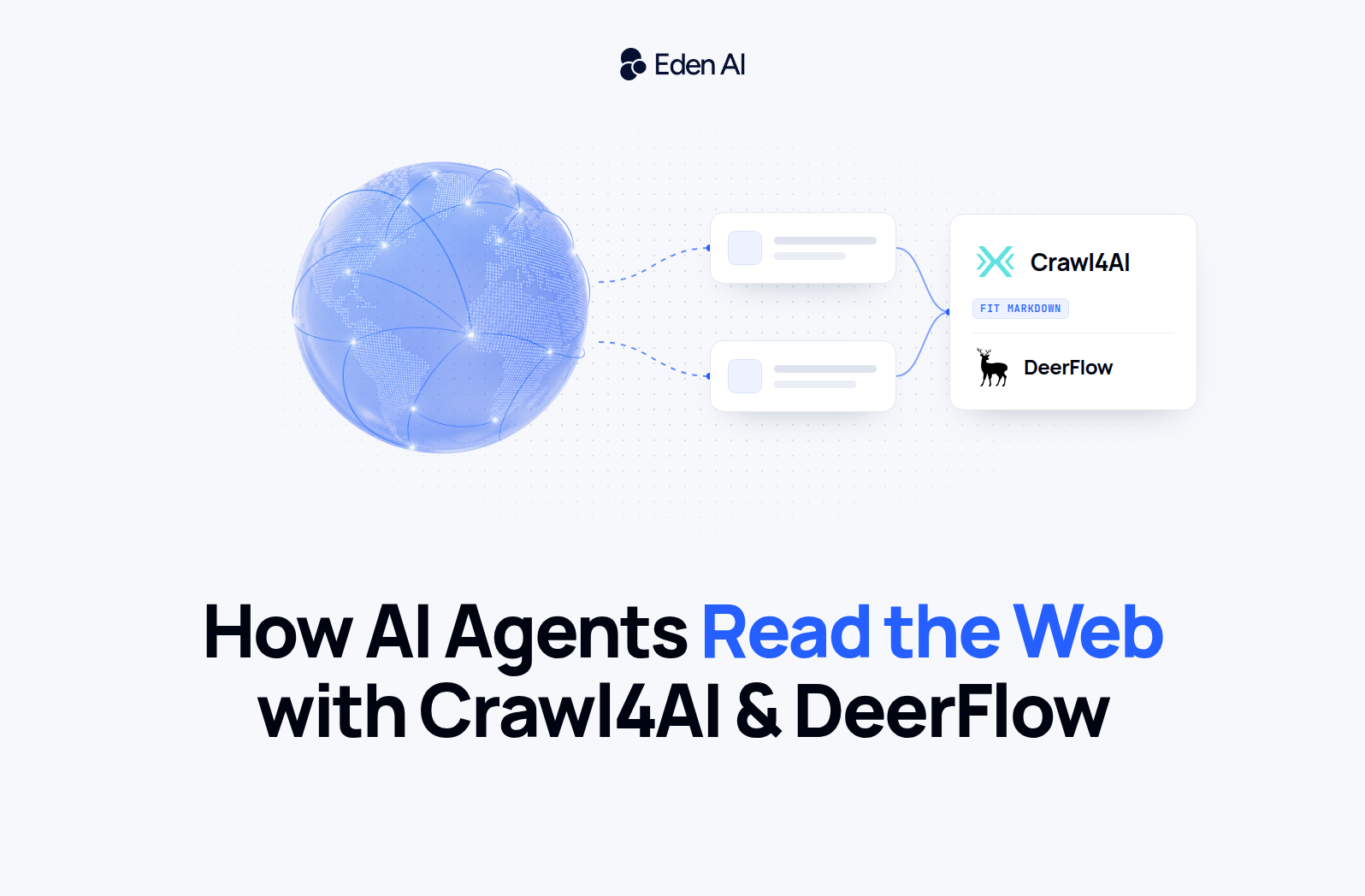
A search API gives your agent links. Turning those links into clean, structured data is a separate pipeline, and two open-source projects now cover most of it: Crawl4AI fetches and cleans pages, DeerFlow decides what to read. Here is how they fit together, how to plug any model into both, and the three things that break crawling pipelines in production.
Search is not reading
An agent that cannot read the web answers from whatever its model learned during training. Most teams fix that with a search API, and we compared nine of them in Best Web Search APIs for AI Agents. But search returns URLs and snippets. Somebody still has to open the page, run its JavaScript, throw away the menus and cookie banners, and turn what is left into something a model can use without burning tokens on navigation links.
That second half is a data acquisition pipeline, and it has four stages: discover the URLs worth reading, fetch and render them, clean the result, then extract what you need. Two open-source projects have become the default way to build it. Crawl4AI handles fetching and cleaning. DeerFlow is the agent that decides what to search, what to open and when it knows enough.
Crawl4AI: the fetch-and-clean layer
Crawl4AI is a Python library, a command line tool and a Docker server that turns web pages into Markdown written for language models. It is released under Apache 2.0 and had 85,514 stars on GitHub on 14 October 2026, the day version 0.9.5 shipped. The documentation is extensive, so here are the features that matter most for an agent pipeline.
Fit Markdown, not raw HTML. Every crawl returns Markdown, and content filters cut it down before it ever reaches a model: a pruning filter that drops low-value blocks, a BM25 filter that keeps the passages relevant to a query, and an LLM filter for the hard cases. Fewer navigation links in the context means fewer tokens billed and less noise for the model to reason around.
Discovery without crawling everything. The AsyncUrlSeeder reads a site's sitemaps and the Common Crawl index to list candidate URLs before a single page is rendered. For deeper exploration there are breadth-first, depth-first and best-first strategies, with a resume_state so a long crawl survives a crash.
Adaptive crawling. The AdaptiveCrawler takes a query and stops once it has gathered enough to answer it, instead of crawling to a fixed page count. For an agent, that is the difference between reading the three pages that matter and paying to render two hundred.
Extraction that does not need a model on every page. Crawl4AI extracts with CSS or XPath schemas, which cost nothing per page. Its generate_schema helper uses an LLM once to write that schema for you, and you reuse it across every page with the same layout. When pages vary too much for fixed rules, LLMExtractionStrategy fills a Pydantic schema with any model LiteLLM supports.
Built for agents. The Docker server exposes an MCP endpoint, so Claude Code, Cursor or any MCP client can call your own crawler as a tool.
One licensing detail before you ship it in a product: the README asks for attribution on top of the Apache 2.0 license, as a "Powered by Crawl4AI" badge or a line in your documentation. Read the repository and decide which applies to you.
DeerFlow: the agent that decides what to read
DeerFlow is ByteDance's open-source agent harness. Version 2.0 was a ground-up rewrite that shares no code with the original deep research framework, and it reached the top of GitHub Trending on 28 February 2026. It is MIT licensed, built on LangGraph and LangChain, and had 83,853 stars on 14 October 2026, with version 2.1.0 out since 24 September. We covered how it compares with commercial agent platforms in DeerFlow vs. Commercial AI Agent Platforms.
For web data, what matters is its tool layer. DeerFlow ships a web_search tool with more than a dozen interchangeable providers, from DuckDuckGo and SearXNG to Tavily, Exa and Firecrawl, and a separate web_fetch tool with ten backends, including Jina Reader, Firecrawl, Browserless and a self-hosted Crawl4AI server. Search and fetch are configured independently, so the agent can find pages with one provider and read them with another. Only one fetch backend can be active at a time.
When Crawl4AI is the fetch backend, DeerFlow receives its filtered Markdown directly and you choose the filter in the config: fit by default, or raw, bm25 or llm. The full list of options is in DeerFlow's configuration guide.
Wiring the two together
Start Crawl4AI as a private service. Since version 0.9 the server refuses unauthenticated requests, so generate a token and bind the port to the local machine or to your internal Docker network, never to a public interface.
# Run Crawl4AI as a private service. Never publish port 11235 to the internet.
export CRAWL4AI_TOKEN="$(openssl rand -hex 32)"
docker run -d --name crawl4ai -p 127.0.0.1:11235:11235 --shm-size=1g \
  -e CRAWL4AI_API_TOKEN="$CRAWL4AI_TOKEN" \
  unclecode/crawl4ai:0.9.5
Then point DeerFlow at it. The model entry uses LangChain's OpenAI client with a custom base_url, which is how DeerFlow talks to any OpenAI-compatible gateway. Here it goes through Eden AI's chat completions endpoint, so switching the agent from Mistral to Claude or GPT is a one-line change to the model string, with the same key and the same bill.
# config.yaml (DeerFlow 2.x): the model through Eden AI, pages through Crawl4AI
models:
  - name: mistral-large
    display_name: Mistral Large (via Eden AI)
    use: langchain_openai:ChatOpenAI
    model: mistral/mistral-large-latest
    api_key: $EDENAI_API_KEY
    base_url: https://api.edenai.run/v3

tools:
  - name: web_fetch            # only one web_fetch backend can be active
    group: web
    use: deerflow.community.crawl4ai.tools:web_fetch_tool
    base_url: http://localhost:11235   # http://crawl4ai:11235 inside Docker Compose
    token: $CRAWL4AI_TOKEN
    timeout: 30
    filter: fit                # fit | raw | bm25 | llm
    # DeerFlow refuses a private backend until you confirm its egress is locked down:
    # network_isolation_confirmed: true
As written, DeerFlow will refuse to use this backend: a crawler on a private address can be turned against your own network, so DeerFlow waits for you to confirm that its outbound traffic is locked down. The next section explains how. Note also that DeerFlow's example config suggests the Crawl4AI 0.9.2 image. Use the current release instead.
Structured extraction with any model
Not every pipeline needs an agent. When you already know which pages you want and what fields to pull, Crawl4AI on its own is enough. The example below reads a releases page and returns typed JSON. The openai/ prefix tells LiteLLM to use the OpenAI request format, and everything after it is the model as Eden AI names it.
import asyncio, os
from pydantic import BaseModel
from crawl4ai import AsyncWebCrawler, CacheMode, CrawlerRunConfig, LLMConfig, LLMExtractionStrategy

class Release(BaseModel):
    version: str
    date: str
    highlights: list[str]

llm = LLMConfig(
    # "openai/" tells LiteLLM to speak the OpenAI format; the rest is the Eden AI model id
    provider="openai/mistral/mistral-small-latest",
    api_token=os.environ["EDENAI_API_KEY"],
    base_url="https://api.edenai.run/v3",
)

config = CrawlerRunConfig(
    check_robots_txt=True,          # off by default in Crawl4AI
    cache_mode=CacheMode.ENABLED,   # do not fetch the same page twice
    extraction_strategy=LLMExtractionStrategy(
        llm_config=llm,
        schema=Release.model_json_schema(),
        extraction_type="schema",
        instruction="List each release with its version, date and main changes.",
    ),
)

async def main():
    async with AsyncWebCrawler() as crawler:
        result = await crawler.arun("https://github.com/unclecode/crawl4ai/releases", config=config)
        print(result.extracted_content)

asyncio.run(main())
Two settings in that config are deliberate. check_robots_txt is off by default in Crawl4AI, and turning it on is the minimum courtesy toward the sites you read. Caching stops the crawler from fetching and paying to extract the same page twice. If the pages you process contain personal or regulated data, point base_url at the EU endpoint, https://api.eu.edenai.run/v3, which only routes to models cleared for EU data residency and refuses the others with an HTTP 451.
Three things that break open-source crawling pipelines
1. The crawler is an attack surface
A crawler is a server that fetches arbitrary URLs, follows redirects and runs a browser. That is exactly what an attacker wants to reach. Crawl4AI's security advisories page lists 19 advisories published in 2026, five of them rated critical, including unauthenticated remote code execution through browser launch arguments (CVE-2026-57572) and a path traversal in downloads that could lead to code execution (CVE-2026-57571). All of them are fixed in 0.9.4 and later, and the project has moved to secure-by-default settings. The lesson is not to avoid Crawl4AI. It is to pin a current version, patch it like any internet-facing service, and keep its port private.
The second risk is server-side request forgery. Your crawler resolves DNS and follows redirects on its own side, so a page can bounce it toward 169.254.169.254 or an internal admin panel. DeerFlow handles this well: it refuses to delegate fetches to a self-hosted Crawl4AI, Firecrawl or Browserless backend until you set network_isolation_confirmed: true, and its documentation tells you to block private, loopback, link-local and cloud-metadata destinations first. Do the egress policy, then flip the flag, in that order.
2. Consent is now opt-in
The open web is no longer open by default to automated readers. Since 1 July 2025, Cloudflare blocks known AI crawlers by default on new domains and lets publishers charge for access with pay per crawl. A pipeline that ignores this ends up with empty pages, challenge screens and blocked IP ranges.
In Europe the rules point the same way. The Copyright Directive lets rights holders reserve their content from text and data mining in a machine-readable way, and the copyright chapter of the General-Purpose AI Code of Practice commits signatory model providers to crawlers that follow robots.txt as defined in RFC 9309. That commitment targets model training, not every agent that reads a page, but it is the standard your pipeline will be measured against. Respect robots.txt, identify your crawler honestly, rate-limit per domain, and prefer an llms.txt file when a site publishes one for exactly this purpose.
3. Every page is untrusted input
Whatever your agent reads, it may also obey. A page can carry hidden instructions in white text, alt attributes or comments, and an agent with tools will happily act on them. Treat fetched content as data, never as instructions: keep the agent that reads the web away from tools with side effects, run code in a sandbox, which DeerFlow does by default, and review anything that leaves your system. We went deeper on this in Securing AI Agents Against Document-Borne Prompt Injection.
When a managed API is the better trade
Self-hosting gives you control and no per-page fee, but the costs are real: headless browsers need memory, protected sites need proxies, and the advisory list above shows the patching cadence you sign up for. For many teams the right answer is a mix, with open source for the high-volume sites they know well and a managed API for everything else.
If you are in the same spot as most teams we talk to, you need web crawling inside an agent, you do not want to run browsers yourself, and the names that keep coming up are Tavily, Firecrawl and Linkup. They solve the same problem from different angles. Tavily is a search API built for agents that can return page content alongside the links. Firecrawl turns a URL or a whole site into clean Markdown, and can crawl, map a site and extract against a schema. Linkup pairs search with a fetch endpoint that reads one page at a time. You do not have to pick one up front: through Eden AI all three sit behind the same API key, so you can use Tavily for search, Firecrawl for crawling and Linkup for single pages, compare them on your own URLs, and switch by changing one string.
Concretely, Eden AI exposes managed web endpoints behind the same key as its LLMs: scraping, site maps, crawling, batch scraping, structured extraction, search and deep research, served by Firecrawl, Linkup and Tavily. Firecrawl is itself open source, under AGPL-3.0, a license with obligations if you modify it and offer it over a network, so the managed route is also a way to use it without running it. Changing provider is a change to the model string.
import os, requests

response = requests.post(
    "https://api.edenai.run/v3/universal-ai",
    headers={"Authorization": f"Bearer {os.environ['EDENAI_API_KEY']}"},
    json={
        "model": "web/scraping/firecrawl",   # or web/scraping/linkup
        "input": {"url": "https://docs.crawl4ai.com"},
    },
)
print(response.json()["output"]["content"][:500])
The short version
Search finds pages, Crawl4AI reads them, DeerFlow decides which ones are worth reading, and a model turns them into answers. All three layers can be open source, and the model layer can be any provider you choose through one OpenAI-compatible endpoint. What makes the difference in production is not the tool list but the discipline around it: current versions, a locked-down network, respect for robots.txt, and fetched content treated as untrusted input.
To try the model side, get an Eden AI API key and point either tool's base_url at https://api.edenai.run/v3.