Summarize this article with:
- Locking into a single provider means you can't optimize for cost, performance, or specific use cases.
- When you install and configure Codex, it points to OpenAI's API endpoint by default.
- An AI Gateway is an API middleware layer that exposes a single, unified endpoint compatible with the OpenAI API format - but can route your requests to any model behind the scenes.
- Automatic fallback - when your primary model hits a rate limit or goes down, Eden AI silently routes to your next preference, keeping sessions uninterrupted.
- Mistral Large performs well in plan mode - read-only reasoning tasks where Codex is analyzing the codebase and mapping out a strategy before writing code.
What Is OpenAI Codex and Why Model Choice Matters
OpenAI Codex (the 2026 coding agent, not the deprecated Codex API) is an autonomous coding assistant that lives in the cloud. You give it a task - fix this bug, add this feature, write these tests - and it works through the codebase independently, then hands you a pull request. It's powerful, but it runs exclusively on OpenAI models by default.
Why does model choice matter when deploying Codex? Different models have different strengths:
- Claude 3.7 Sonnet tends to outperform on complex reasoning and long-context tasks
- Gemini 2.0 Flash is fast and cost-efficient for high-volume coding work
- Mistral Codestral is purpose-built for code generation and often cheaper at scale
- GPT-4o remains strong for general-purpose tasks
Locking into a single provider means you can't optimize for cost, performance, or specific use cases. You pay OpenAI rates on every request, whether or not that's the best model for the job.
The Problem: Codex Is Locked to OpenAI by Default
When you install and configure Codex, it points to OpenAI's API endpoint by default. Every request, every code completion, every agent step goes through OpenAI. There's no built-in option to swap providers.This creates three real problems:
- Cost lock-in. You can't route cheaper tasks to lower-cost models. Everything runs at the same OpenAI pricing tier.
- No fallback. If OpenAI has an outage or rate limit issue, your whole workflow stops. There's no automatic failover.
- No best-model routing. Some models handle certain coding tasks better than others. A locked setup can't take advantage of that.
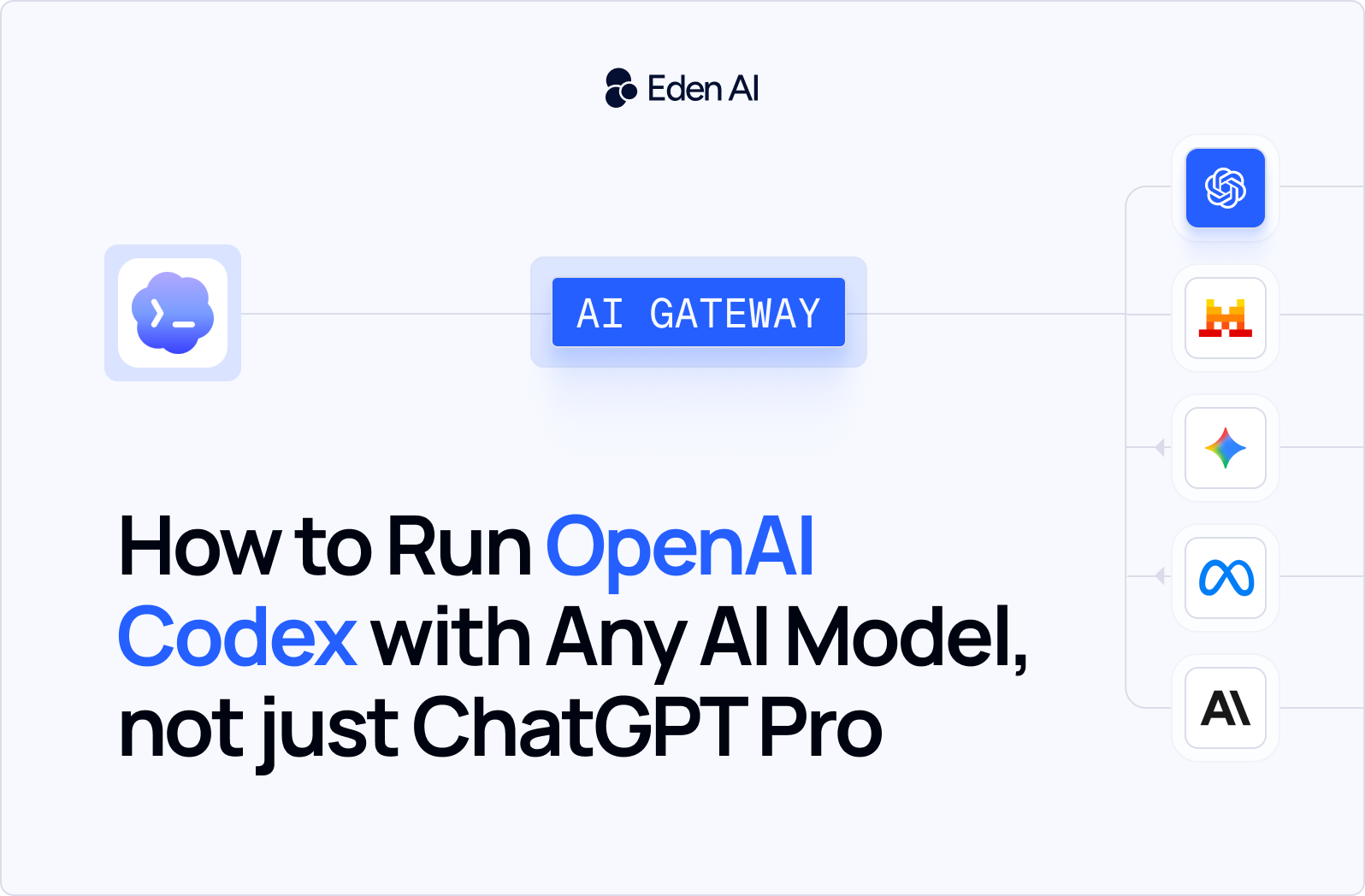
The fix is an AI Gateway - a layer that sits between Codex and the model providers.
What is an AI Gateway and How it Works in Codex
An AI Gateway is an API middleware layer that exposes a single, unified endpoint compatible with the OpenAI API format - but can route your requests to any model behind the scenes.
Here's how it works:
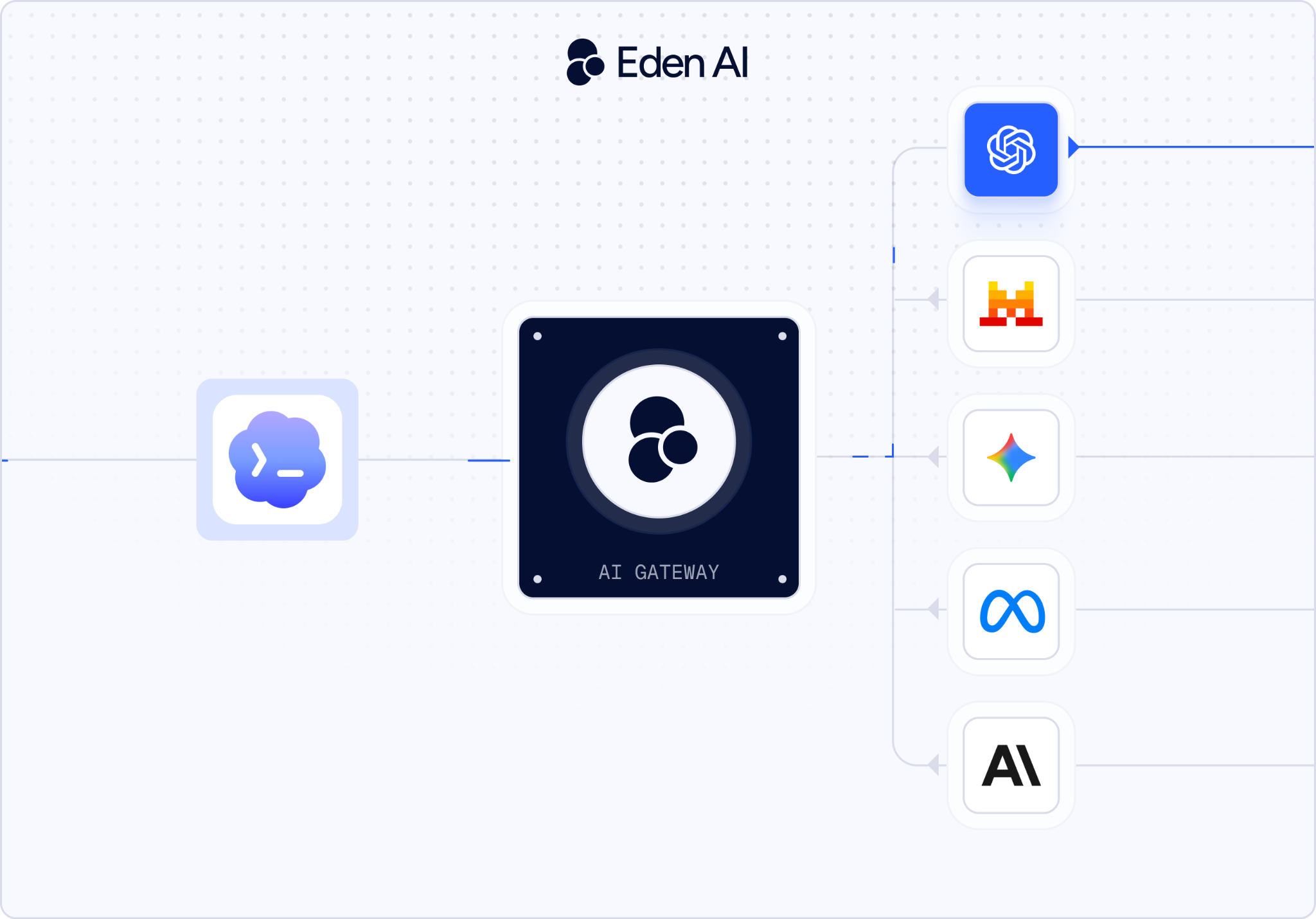
Because the gateway speaks OpenAI's API spec, Codex doesn't know it's talking to a different provider. You just change the base URL and API key - that's it.
Eden AI is an AI Gateway that gives you access to 500+ AI models from 50+ providers through one API. Beyond model access, Eden AI handles:
- Automatic fallback - when your primary model hits a rate limit or goes down, Eden AI silently routes to your next preference, keeping sessions uninterrupted
- Smart routing - distribute requests based on cost targets, latency requirements, or task complexity
- Cost tracking - real-time visibility into spend per model, provider, and session - straight from the dashboard
- 20-50% cost reduction - by selecting the optimal model per task instead of defaulting to the most expensive option
For Codex specifically, it means you point the agent at Eden AI's endpoint, pick a model, and switch providers any time without touching your Codex setup again.
Step-by-Step: Connect Codex to an AI Gateway in 5 minutes
The steps below walk you through the full setup. If you prefer to follow along visually, we've recorded the complete walkthrough in the video above - from creating your Eden AI API key to running your first Codex task through the gateway.
Prefer to dive straight into the code? The full configuration and ready-to-use snippets are on our GitHub, and the complete walkthrough lives in our Codex documentation.
Which Model Should You Use? Claude vs Gemini vs Mistral in Codex
There's no universal answer, the right model depends on what you're asking Codex to do. Here's a practical breakdown based on real usage patterns:
Claude 3.7 Sonnet - Best for complex, multi-file tasks
Claude handles long context exceptionally well. If you're asking Codex to reason across a large codebase, refactor deeply nested logic, or work through a complex architectural change, Claude is the strongest performer.
Use it when: The task requires understanding large amounts of existing code before making changes.
Trade-off: Higher cost per token than Flash-tier models.
Gemini 1.5 Flash - Best for speed and cost efficiency
Gemini 1.5 Flash is fast and priced significantly lower per token. For high-volume tasks — writing tests, generating boilerplate, quick single-function edits - it punches well above its weight.
Use it when: You're running Codex at scale or on repetitive tasks where response speed matters.
Trade-off: Less reliable on highly ambiguous or architecturally complex tasks.
Mistral Large - Best for planning and analysis
Mistral Large performs well in plan mode - read-only reasoning tasks where Codex is analyzing the codebase and mapping out a strategy before writing code. It's a strong fit for cost-conscious teams that don't need the heaviest model for every step.
Use it when: Running Codex's planning or analysis phase, not generation.
Trade-off: Less optimized for raw code generation than models fine-tuned specifically for coding.
GPT-4o - Best for general-purpose tasks with Gateway benefits
If you want the standard Codex experience but with automatic fallback, cost tracking, and smart routing layered on top, GPT-4o through Eden AI gives you that - without giving up the reliability benefits of the Gateway.
Use it when: You're happy with OpenAI's models but want 99.99% uptime guarantees and cost visibility.
Conclusion
OpenAI Codex is a strong coding agent. But running it locked to a single provider limits your flexibility, drives up costs, and leaves you with no fallback when things go wrong.
Eden AI removes that constraint in minutes. Change the base URL, add your Eden AI API key, and you instantly have access to 500+ models from 50+ providers - with smart routing, automatic fallback, and full cost visibility built in.