Summarize this article with:
MCP tool definitions are sent to the model on every call, so agents pay for tools they never use. This guide explains where those tokens go, when large tool catalogs hurt reliability, why filtering tools can break prompt caching, and how to measure the real cost of each completed task.
An AI agent does not need to call a tool to pay for it.
Every time a model receives a list of tool definitions, the names, descriptions and parameter schemas become part of the input it has to process. Connect a few MCP servers, expose a few dozen capabilities, and the agent can spend thousands of tokens reading about what it could do before it decides what it should do. It then pays that cost again on the next model call, because tool definitions travel with every request.
For a single small integration, the overhead is barely noticeable. Across repeated requests, multiple agents and long multi-step workflows, it becomes an architecture decision.
A recent experiment shows the trade-off well. In late October 2026, an AWS Community Builders author rebuilt a read-only AWS cost-triage MCP server twice. The first version had fifteen tools and needed seven tool calls to answer one question. The rebuilt version had four tools, answered the same question in two calls, and its tool descriptions were 88% smaller. The surprising part: the client’s context meter only moved from 1.1% to 0.8%, because fifteen small tools are still small against a 200K window. The real gain came from the agent reaching the answer in fewer steps. Both versions are available on GitHub if you want to compare them.
That distinction runs through this whole article. MCP is not inherently inefficient. It gives agents a standard way to discover and use external capabilities. The overhead comes from how those capabilities are designed, exposed, selected and executed. So the real question is not how to give an agent as few tools as possible. It is how to give it the right capabilities without making every call needlessly expensive.
The hidden tool tax: where the tokens go
MCP tools are described by a name, a description, an input schema and some metadata. Together, these tell the model when and how to use each tool. When an MCP client passes those definitions through the model’s tool-calling interface, they become part of the model’s input. A connected Jira search tool can add tokens to a request that only needs information from GitHub.
The scale can be surprising. In Anthropic’s write-up on advanced tool use, five MCP servers exposing 58 tools consumed approximately 55K tokens before the conversation even started. Jira alone used about 17K, and Anthropic reported seeing tool definitions consume 134K tokens before optimization.
These figures come from specific configurations, not a fixed cost per MCP server. Schema size, enabled toolsets and client behavior all change the result. They do show the order of magnitude.
Definitions are not the only cost. Tool results come back to the model as context too. A broad search returning hundreds of records, an OCR call that extracts an entire document, or an API response full of fields the agent never reads will all inflate the next request. They keep inflating every request after it, as long as they stay in the conversation.
It helps to separate three kinds of overhead:
- Definition overhead: the tools and schemas made available to the model on each call.
- Execution overhead: the calls, intermediate results and retries generated while completing a task.
- Reasoning overhead: the extra processing the model needs to interpret results, resolve ambiguity and decide what to do next.
A larger context window does not remove any of these. It gives the model more room, but every token in that room is still billed and still has to be processed. Capacity and efficiency are different properties. The limits themselves are also provider settings that can change, as we saw when OpenAI quietly cut the Codex context window by 27%.
When more tools become a reliability problem
An oversized tool catalog does not only cost tokens. It can also degrade tool selection.
When several tools have similar names or overlapping descriptions, the model has to tell apart capabilities that look interchangeable. It may pick a plausible but wrong tool, pass parameters that don’t fit the operation, or call several tools when one would have been enough. Anthropic notes that the most common failures are wrong tool selection and incorrect parameters, especially when tools have similar names, such as notification-send-user and notification-send-channel.
Production teams report the same pattern. In its Agent Mode retrospective, Postman described a sharp rise in tool hallucinations once the toolset exceeded about 40 tools: the agent called nonexistent tools, passed incorrect arguments, or chose tools that seemed reasonable but were wrong in context. Larger or newer models reduced the problem but didn’t eliminate it.
There is no universal threshold, though. A Fullstory engineer tested tool selection as the toolset grew to a hundred tools. A current frontier model stayed reliable well past the usual rule of thumb, while an older, cheaper model became erratic as the toolset grew. His conclusion is that unclear context and data often matter more than tool count. This is also a reminder that a model “supporting” tool calling does not guarantee it handles your catalog well, a gap we covered in what “supports” really means in production.
Research points to retrieval as one answer. The RAG-MCP paper retrieves the most relevant tool descriptions before showing them to the model. In its experiments, this cut prompt tokens by more than 50% and raised tool selection accuracy from 13.62% to 43.13%.
The lesson is that tool availability, tool clarity and model capability have to be considered together. Removing useful capabilities can make an agent less capable. Exposing everything without a discovery strategy can make it less efficient and less reliable.
Five ways to design a leaner MCP tool ecosystem
No single optimization fits every server. The right approach depends on how many capabilities you expose, how complex their schemas are, how often they are used and how much control the agent needs. These five techniques are a practical starting point.
1. Design tools around outcomes, not endpoints.
A common pattern is to wrap every backend operation as its own tool. It is easy to generate, but it forces the model to coordinate several low-level operations for what is really one workflow. Anthropic’s guide to writing effective tools for agents gives a concrete example: instead of separate get_customer_by_id, list_transactions and list_notes tools, build a single get_customer_context tool that compiles a customer’s recent, relevant information in one call.
The goal is not one giant all-purpose tool. Each tool should have a clear responsibility and return what the agent needs to fulfil it.
2. Write schemas the model can understand.
Tool names and parameters should use the language of the task, not internal database terms. Use explicit parameter names, sensible defaults, constrained values (enums) where possible, and clear descriptions of expected inputs and outputs.
AWS tested these trade-offs in MCP tool design: practical approaches and tradeoffs, building six versions of the same search tool against one backend. Richer descriptions improved accuracy but grew the definitions. Schema restructuring, defaults and lazy loading each struck a different balance, and no version wins across all dimensions. A shorter schema is not automatically better if it leaves the model guessing.
3. Keep tool results lean.
A tool should return what is useful, not everything its underlying API happens to provide. Pagination, filtering, field selection and truncation all keep irrelevant data out of the next request. When you truncate, include a short message that tells the model what was left out.
The gains can be large. In Anthropic’s example, a detailed tool response used 206 tokens while the concise version used 72, roughly a third. Eden AI’s own MCP server documentation recommends truncating large OCR and scraping outputs to roughly 20,000 characters before appending them to the conversation. For web content, converting pages to clean Markdown before they reach the model is another lever, as shown in our open-source pipeline with Crawl4AI and DeerFlow. For long text in general, prompt compression methods can shrink what remains.
4. Load tools when they are needed.
Instead of loading every definition up front, an agent can start with a small discovery interface and pull in the relevant tools when a task requires them.
Anthropic’s Tool Search Tool is the clearest data point. A traditional setup consumed about 77K tokens before any work began, against about 8.7K with the Tool Search Tool, an 85% reduction. Accuracy improved at the same time: on Anthropic’s MCP evaluations, Opus 4 went from 49% to 74% and Opus 4.5 from 79.5% to 88.1%. These are Anthropic’s internal results, not guarantees. OpenAI offers a similar mechanism through tool search in the Responses API, where tools marked defer_loading are only loaded when the model searches for them.
You can also narrow the catalog on the server side. The GitHub MCP server lets you enable only the toolsets you need through a --toolsets flag to reduce context size, and offers a beta dynamic discovery mode that lists and enables toolsets in response to the user’s prompt.
Sometimes the cheapest step is deciding whether a tool is needed at all. A sub-cent decision model can answer that before an expensive agent loop starts.
5. Use programmatic execution for multi-step workflows.
When an agent chains several operations, sending every intermediate result back through the model consumes context it doesn’t need. One alternative is to let the agent write code that calls the tools and returns only the final output.
In code execution with MCP, Anthropic shows an agent loading only the definitions it needs through code, which reduces token usage from 150,000 tokens to 2,000, a 98.7% saving. Its programmatic tool calling feature cut average usage from 43,588 to 27,297 tokens, a 37% reduction on complex research tasks.
Cloudflare applied a related idea with Code Mode, which presents MCP tools as a TypeScript API the model writes code against. Applied to its full API, Code Mode reduced the token footprint of more than 2,500 endpoints from over 1.17 million tokens to roughly 1,000 (InfoQ).
This approach adds its own requirements: sandboxing, permissions and execution control. It is not necessary for every agent, but it pays off for workflows with many dependent operations.
The prompt caching paradox
There is an important catch with tool filtering: sending fewer definitions per request can make prompt caching less effective.
Prompt caching reuses the processed state of an unchanged prompt prefix. If an agent keeps sending the same system instructions, reference material and tool definitions, the provider can serve that prefix from cache, which is cheaper and faster than processing it again. The key requirement is stability, and tool definitions sit at the very start of the prefix. In OpenAI’s words, tools, schemas and their ordering are part of the cached prefix and are injected before developer instructions, so changing them invalidates the cache.
Picture two agents. The first sends the same instructions and tool catalog on every call, so its prefix stays identical and can be reused. The second deletes irrelevant tools before each call. Its prompts are smaller, but its prefix keeps changing, so previous cache entries no longer match.
The result is counterintuitive: fewer input tokens per request, but more uncached processing across requests.
This does not make tool filtering a bad practice. It means filtering and caching have to be designed together.
Both major providers now offer ways to restrict tools without rewriting the prefix. OpenAI’s prompt caching guide and its GPT-6 caching update give direct advice: keep tool definitions, schemas and ordering stable, use allowed_tools to make only the relevant tools callable, or set tool_choice to none when no tools are needed, rather than removing definitions.
The tool search features from the previous section were built with this in mind. With Anthropic, deferred tools are excluded from the initial prompt and only added after Claude searches for them, so the system prompt and core tool definitions remain cacheable. OpenAI’s version preserves the cache by injecting newly discovered tools at the end of the context window.
One clarification, because it is often blurred: tool search and deferred loading are not features of the MCP protocol itself. The MCP specification defines how servers describe and expose tools. Deciding which definitions reach the model, and when, happens in the provider API or the client.
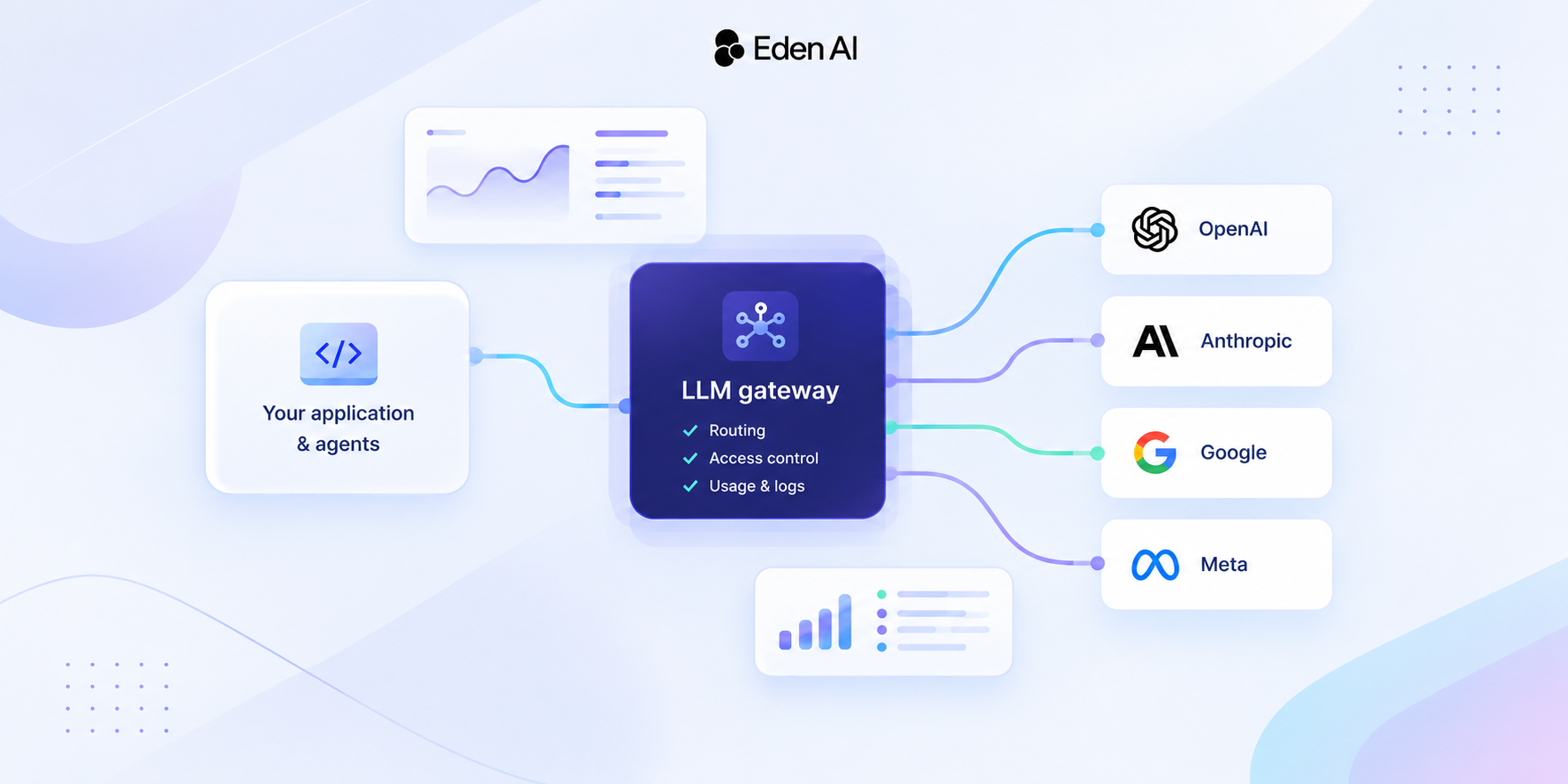
The gateway adds one more condition. A prompt cache lives with the provider endpoint that created it. It is not shared between providers, regions, accounts or unrelated models. If a gateway spreads one conversation across several providers serving the same model, each hop starts cold. To avoid this, Eden AI keeps routed conversations on the provider holding their cache: it uses sticky routing for models with discounted cache reads, keyed on a stable conversation identifier such as session_id. The same documentation recommends keeping tools, schemas, examples and documents byte-for-byte stable between requests.
The practical rule is simple:
- Keep reusable content stable and put dynamic content last.
- Restrict tools through the provider’s supported mechanisms instead of rebuilding the catalog on every call.
- Keep a conversation on the provider that holds its cache.
Eden AI MCP: one connection to a broad expert-model ecosystem
None of this optimization should hide why MCP is useful in the first place. A well-designed MCP integration makes external capabilities available through one consistent interface, so the agent doesn’t need to know every provider’s API.
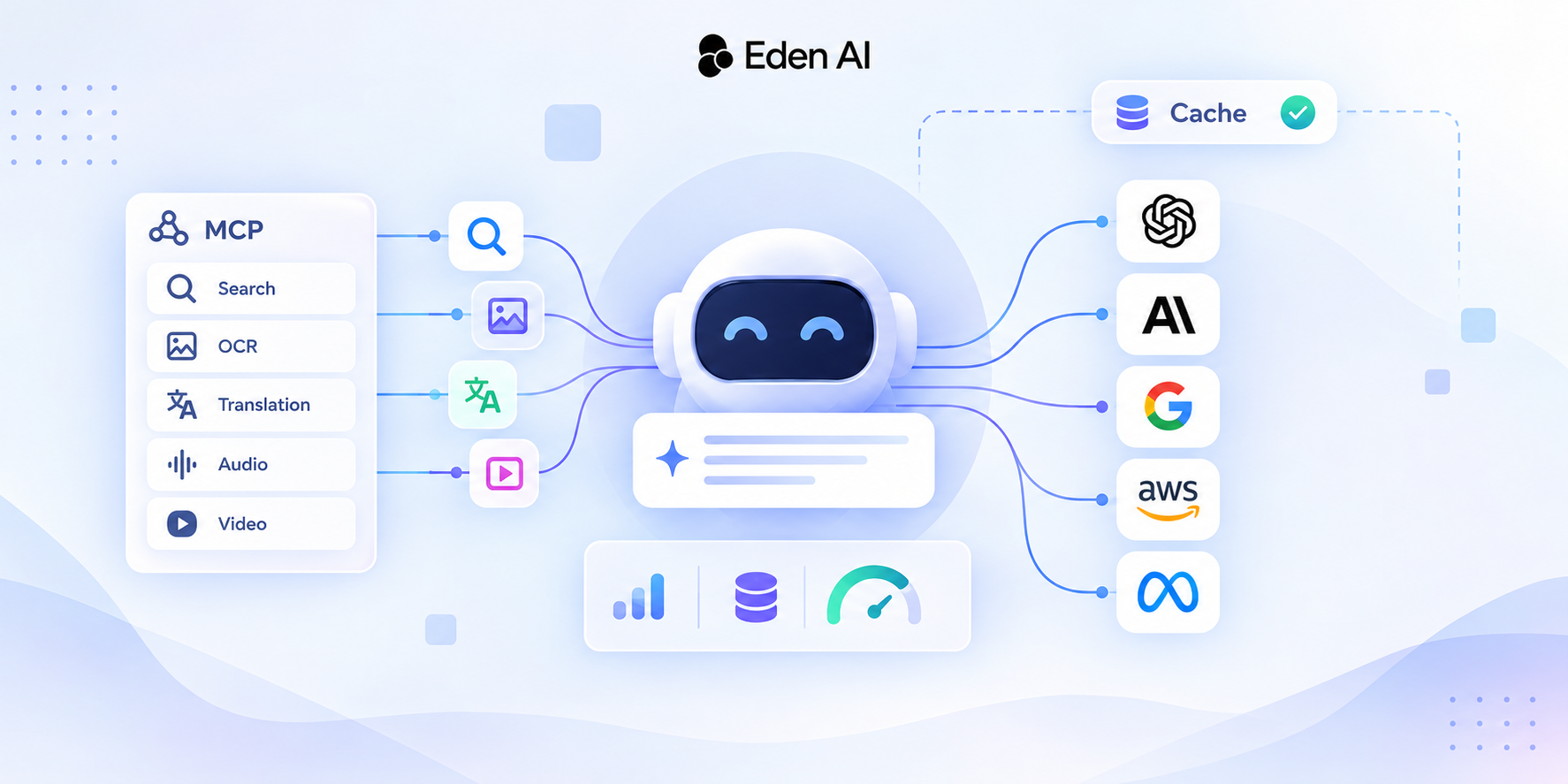
Eden AI exposes its expert models through a hosted MCP server. Instead of deploying and maintaining a separate integration for each provider, developers get one interface to capabilities such as OCR, image analysis, text processing, web search, translation, audio and video.
The endpoint is https://mcp.edenai.run/mcp, with Streamable HTTP transport and Bearer-token authentication. MCP-compatible clients can connect directly; the docs include ready-to-copy configurations for Claude Code, Codex CLI, Cline, Continue and others. Every tool call is a normal Eden AI expert model call: it is billed to your key and visible in monitoring.
The catalog’s design follows the principles above. Eden AI exposes one tool per expert-model feature, rather than one tool per provider and model combination. A shared model parameter selects the provider (or provider/model pair), so adding providers doesn’t multiply the number of tool definitions. Three utility tools complete the catalog:
upload_fileuploads local content and returns a file ID for any file parameter.check_jobretrieves the status and result of long-running operations.list_modelslists available providers, models and pricing, optionally for a single tool.
The server is also useful outside MCP-native clients. The documentation shows how to fetch the catalog and pass the schemas to any function-calling model through your own agent loop on the Eden AI gateway, using either the OpenAI or the Anthropic SDK. Any model flagged with supports_function_calling in the model catalog can use the tools.
This enables multimodal composition. A text-only model can call ocr, receive the extracted text and keep reasoning with it. It doesn’t need to perform OCR natively; it only needs to know when to delegate.
The orchestration layer still decides what reaches the model, and Eden AI’s own documentation applies the advice from this article. Its agent-loop example passes only the tools a task needs, and its best practices state that the full catalog is a lot of schema for one prompt, and sending only the tools the task needs improves both accuracy and cost. The hosted server provides the capabilities. The agent developer controls the selection strategy and the context returned to the model.
Measuring the real cost of an agent
Optimization should start with measurement, not assumptions.
Before changing an MCP architecture, establish a baseline:
- Count the input tokens taken by the system prompt and tool definitions.
- Record how many tool calls each task needs.
- Measure the size of the results that come back.
Then run the same workload again after changing your tool strategy.
Eden AI provides several building blocks for this:
- Count before you send. The Count Anthropic Tokens endpoint accepts messages, a system prompt, tools and tool choice, and returns the number of input tokens the request would consume without running the model. Count once with your full tool list and once without it, and the difference is your tool tax per call.
- Check what was actually cached. Prompt caching usage is normalized as
cached_tokensandcache_write_tokenswhere providers report it, and the responsecostalready includes cache pricing. A response succeeding doesn’t prove the prefix was cached, so check the fields. Request metadata shows which provider served each call, which is useful for confirming that sticky routing kept a conversation on its warm provider. - Attribute spend per agent. Tags label calls through an
X-EdenAI-Tagsheader, for exampleagent=support-bot. You can then split usage and cost per customer, project or environment in the dashboard without creating one API key for each, and tags are never sent to the model provider. Comparing two agents’ cost per task is how a bloated tool catalog becomes visible. - Route steps to the right model. Routing policies save a model chain and provider preferences under one name. As our token cost guide puts it, agents spend most turns reading, searching and verifying, so those can go to small models while frontier models keep the hard steps. Test tool-heavy steps carefully, though: as the Fullstory experiment showed, cheaper models can be the first to struggle with large catalogs. Our articles on price-performance routing and on how verification made cheaper models work cover this trade-off in more detail.
If you are still deciding whether to measure through your own proxy or through traces, see LLM proxy vs OpenTelemetry.
The metric worth optimizing is not the cheapest input token or the smallest prompt. It is the cost of a successfully completed task, including model calls, tool execution, retries and the context needed to reach a reliable result.
A cheaper model that keeps picking the wrong tool can cost more than a stronger model that finishes the workflow in fewer steps. In the same way, a smaller tool catalog that triggers extra discovery calls, or breaks the cache, is not necessarily cheaper than a stable, cacheable one. The only reliable way to know is to measure the complete workflow.
Better tools, better agents
MCP makes it easy to connect agents to external systems, but access alone doesn’t make them efficient. The design of the tool catalog, the clarity of its schemas, the size of its results and the way tools are discovered all determine how much work the model has to do on every call.
The most effective systems are not the ones with the fewest tools. They expose the capabilities that make sense for the task, describe them well enough for the model to use them correctly, and avoid reprocessing information that hasn’t changed. Prompt caching adds a further constraint: optimization has to account for what stays stable across requests, not only for what can be removed from one request.
For teams building production agents, tool design, model selection, caching and cost measurement belong to the same architecture. With a unified capability layer such as Eden AI’s MCP server and a deliberate orchestration strategy, agents can reach a broad ecosystem of expert models without turning every interaction into an oversized prompt.



![[AUTO-DRAFT] Building an AI Document Processing Pipeline with OCR, NER, and Translation](https://cdn.prod.website-files.com/61e7d259b7746e3f63f0b6be/6a71eae9742e109df72e66d0_6a71eae854310319001ae125_building-an-ai-document-processing-pipeline-with-ocr-ner-and-translation--icone.png)