Summarize this article with:
- Smart Routing reduced LLM API costs by 82% compared with using GPT-5.1 for every request, while average quality decreased by only 0.08 points.
- The main source of unnecessary spend is sending simple and complex requests to the same premium model instead of matching model capability to task complexity.
- At 50,000 requests per day, the benchmark averages translate to about $3,309 per month with GPT-5.1 versus $581 with Smart Routing.
- Additional savings can come from prompt caching, provider fallbacks, and batch APIs, which reduce repeated input costs, unnecessary retries, and asynchronous processing costs.
Most teams send every request to the same premium model, regardless of complexity. As traffic grows, this approach drives up LLM API costs even when many prompts could be handled by cheaper models.
Our benchmark provides the evidence: Smart Routing reduced LLM API costs by 82% compared with GPT-5.1, while average quality decreased by just 0.08 points. We tested three strategies across five tasks, with each task run three times and the results averaged.
Why using one model for every request Increases LLM API Costs
Your LLM costs are probably not growing because every request is difficult. They are growing because your application treats every request as if it were.
Most production systems send all prompts to the same premium model. A request to “list three Python frameworks” goes through the same model as a request to “design a multi-tenant SaaS database schema.” The first requires basic recall and a few output tokens. The second requires deeper reasoning, more context, and stronger instruction-following. Yet both are billed using the same model pricing.
This creates a hidden efficiency problem. Simple requests usually represent a large share of production traffic, so small amounts of unnecessary spend accumulate across thousands or millions of calls. Longer prompts, growing conversation histories, retries, and verbose outputs make the gap even larger.
The premium model may produce excellent results, but that does not mean its full capability is necessary for every task. Using it by default is like provisioning your largest server instance for every workload.
The solution is not to replace quality with cheaper models. It is to route each request to the least expensive model capable of handling it reliably. That is where smart LLM routing begins.
How Smart Routing Selects the Right Model
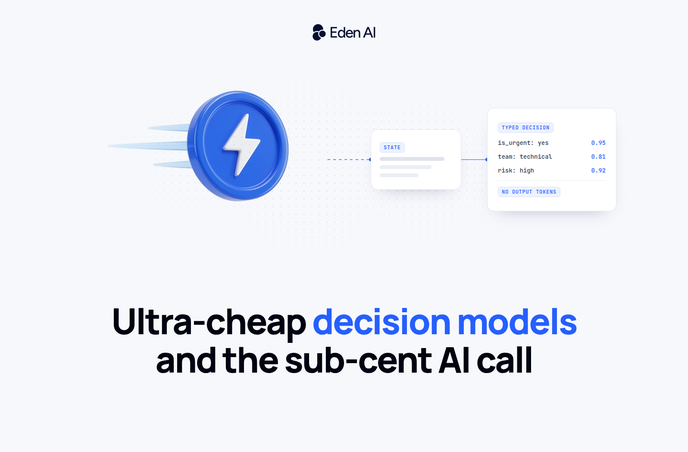
Smart routing adds a decision layer between your application and the model API. Before the request reaches an LLM, a classifier analyzes the prompt and estimates how difficult it is. It can consider signals such as:
- Task type
- Required reasoning depth
- Context length
- Formatting constraints
- Expected output complexity
In practice, the flow is simple:
Prompt → Complexity classification → Model selection → Response
Smart routing does not choose from every available LLM. Your team defines the candidate pool, including:
- Models and providers
- Pricing limits
- Capability thresholds
- Fallback rules
This gives you control over which models can be selected and under which conditions. You can also configure fallbacks for provider errors, rate limits, or low-confidence classifications.
Benchmark: GPT-5.1 vs Gemini Flash vs Smart Routing
We compared three LLM strategies across five tasks: GPT-5.1 only, Gemini Flash 2.0 only, and Smart Routing using a tiered complexity classifier. Each task was run three times, and the results were averaged.
Test settings: default model temperature, no system prompt, max_tokens = 600, and end-to-end response time including Eden AI routing overhead.
Before each request, a client-side keyword classifier categorized the prompt as simple or complex. Simple tasks were routed to GPT-4.1-nano, while code generation, analysis, schema design, longer prompts, and other complex tasks were routed to GPT-4.1-mini. Because the classifier ran client-side, it added no routing latency.
The router had access to ten models across two capability tiers, including GPT, Claude, and Mistral models. In this benchmark, only GPT-4.1-nano and GPT-4.1-mini were selected; the other models remained available as fallbacks.
This was a small internal benchmark, not a universal model evaluation. Keyword-based classification can misclassify edge cases, and a larger task set would provide a more representative view of model selection, cost, quality, and latency.
Cost results: GPT-5.1 vs Gemini Flash vs Smart Routing
At production scale, the per-request difference becomes material. Using the benchmark averages, 10,000 requests per day would cost approximately $662 per month with GPT-5.1, compared with $116 per month using Smart Routing.
At 50,000 requests per day, the estimated monthly cost would rise to $3,309 with GPT-5.1 versus $581 with Smart Routing. These figures use 30 days of traffic and average costs of $0.002206 and $0.000387 per request, respectively, representing an 82% lower cost per request with Smart Routing.
Response time and latency results: GPT-5.1 vs Gemini Flash vs Smart Routing
Quality results: GPT-5.1 vs Gemini Flash vs Smart Routing
Which strategy fits your workload
The right strategy depends less on total traffic than on how much request complexity varies within that traffic.
For a mixed workload containing both simple and complex requests, use Smart Routing. It sends low-complexity prompts to cheaper models and reserves premium models for tasks that need stronger reasoning. In the internal benchmark, this approach was 82% cheaper than using GPT-5.1 for every request, while keeping average quality within 0.1 point.
For high-volume workloads made up only of simple tasks, route directly to a low-cost model such as Gemini Flash. If the task type is predictable and the cheaper model consistently meets your quality threshold, a complexity classifier adds unnecessary cost and operational complexity.
For workloads containing only complex tasks, use a premium model directly. When nearly every request requires advanced reasoning, code generation, or strict instruction-following, the router will select the premium model most of the time anyway. In that case, classification becomes an extra paid step without producing meaningful savings.
If quality is the only priority and cost is not a constraint, send all requests to GPT-5.1. It achieved the highest average score in the benchmark, but the margin was small: a 0.08-point gain over Smart Routing at 5.7 times the cost.
Implement smart routing with Eden AI
Set model to "@edenai" to trigger Eden AI’s routing layer instead of selecting a specific model directly. The router_candidates parameter defines the exact pool of models the router is allowed to evaluate and select from for each request.
Your application continues to call a single chat completion endpoint. Eden AI evaluates the prompt, selects one of the configured candidates, and returns the selected model in the response alongside the generated content. You can change the routing pool without modifying the rest of your request structure.
Three additional ways to reduce LLM costs
Smart routing is usually the biggest optimization lever because it matches each request with the right level of model capability. Once routing is in place, three other techniques can help reduce the remaining cost: prompt caching, provider fallbacks, and batch processing.
Prompt caching
Prompt caching is most useful when many requests contain the same large block of input. This may include a system prompt, product documentation, a policy manual, a long conversation prefix, or a fixed set of instructions.
For example, a support assistant may include the same 8,000-token knowledge base in every request. Without caching, the provider processes and bills those tokens each time. With caching, the repeated prefix is reused and charged at a lower rate. Depending on the provider and workload, eligible cached input can cost 50–90% less.
To improve cache performance, place stable content at the start of the prompt and variable user content at the end. Providers generally cache matching prefixes, so small changes to the beginning of the prompt can prevent a cache hit.
Monitor the cache-hit rate, expiration window, minimum token threshold, and any cache-write fees. Caching works best when prompts remain stable across a large number of requests.
Provider fallbacks
Provider fallbacks protect the user experience when the primary model is unavailable, rate-limited, or too slow. Instead of returning an error, the application automatically sends the request to a backup model.
Consider a document extraction workflow using one provider as the default. If that provider times out, repeatedly retrying the same endpoint increases latency and may create additional billable requests. A fallback can redirect the request to another compatible model and complete the workflow without requiring the user to resubmit the document.
The main cost saving comes from avoiding unnecessary retries and failed workflow runs. Fallbacks also make spending more predictable because each failure follows a defined recovery path.
Choose backup models with compatible context limits, output formats, and structured-output capabilities. Configure clear timeout and retry rules, and avoid switching providers after minor latency changes. Track how often fallbacks are used, which provider completes the request, and whether the backup model maintains the required output quality.
Batch APIs
Batch APIs are designed for workloads where the result is not needed immediately. They are a good fit for document processing, CRM enrichment, support-ticket classification, model evaluations, report generation, and large data backfills.
Instead of sending every request through a real-time API, the application groups requests into an asynchronous job. The provider processes the batch within a longer completion window and applies a lower rate. OpenAI and Anthropic offer a 50% discount for eligible batch requests.
A practical approach is to keep user-facing interactions on real-time endpoints and move background workloads to batch processing. For example, a user may upload documents during the day while extraction and classification run overnight.
Before implementation, check batch size limits, file formats, completion windows, and result-retention periods. Assign a unique identifier to every request so outputs can be matched to their original inputs, and handle partial failures without rerunning the entire batch.